How to Turn Off a Volvo XC40 Recharge: Step-by-Step Guide

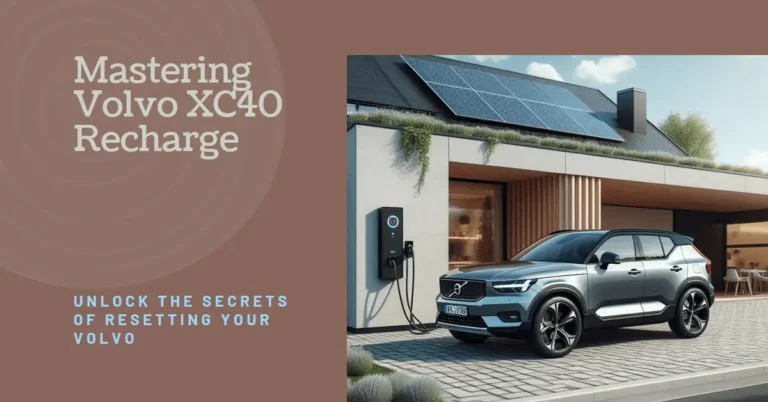
Just like its sibling the C40, the pure-electric Volvo XC40 Recharge features no mechanical start/stop button or ignition cylinder. The vehicle detects driver intent via the smart key fob proximity, driver seat weight pressure sensor, brake pedal depression, and door latches. Powering off is as simple as shifting into Park (P), opening the door, stepping out, and locking the vehicle. The high-voltage 78/82 kWh battery automatically disengages its main contactor relays within seconds.
Eliminated (Smart Sensor Control)
Shift to P > Exit Vehicle > Lock Doors
Settings > System > Screen Off
Automated Relays Disengage in Sleep
The Sensor-Driven Power Architecture of the XC40 Recharge
When you transition from a conventional gasoline crossover to the pure-electric Volvo XC40 Recharge, the single most jarring operational difference is the total absence of an ignition key or start/stop button. First-time owners often spend five minutes in a parking lot hunting for a switch, tapping the dashboard, or wondering whether the vehicle is going to roll away or drain its battery if they simply walk inside the house.
Rest assured: Volvo’s Swedish engineering team designed the XC40 Recharge to eliminate unnecessary mechanical rituals. The car understands your intentions through an array of sophisticated sensors: capacitive exterior door handle pads, an RF key fob proximity receiver, a precision seat pressure sensor, brake pedal travel sensors, and transmission position switches.
Select the operational state of your XC40 Recharge to view battery relay behavior, auxiliary draw, and sleep countdowns.
Deep Sleep Mode (Fully Off)
Open (Zero Voltage to Inverters)
60 Seconds after Locking
TCAM Low-Power LTE Heartbeat
Standard Step-by-Step Power-Down Routine
Manual Power Controls via the Center Touchscreen
There are occasions where you want to turn off the center displays and interior ambient mood lighting while remaining seated inside the vehicle—such as when resting at a highway rest stop or waiting in a school pickup line:
- Screen Sleep Mode: Tap the Settings (Gear Icon) at the bottom right of the 9-inch touchscreen. Select System > Turn Off Display. The center screen turns completely black. Touching the screen instantly restores brightness.
- Cleaning Mode: Press and hold the physical horizontal home button at the base of the screen for 4 seconds until the display locks for microfiber cleaning.
- Audio Mute: Press the large circular volume knob on the center dash to mute music and stop media streaming.
XC40 Recharge Electrical Power States
| Operating State | Instrument Cluster Status | High-Voltage Contactors | 12-Volt Accessory System | Recommended Action |
|---|---|---|---|---|
| Driver Exits & Locks | Screens black (Powered down) | Mechanically disconnected (Open) | Enters low-power sleep (<15mA) | Lock doors and walk away |
| Driver Sitting in Seat | Full navigation & speedometer | Closed (400V energized) | Active (Audio, climate, screens ON) | Depress brake and select Drive |
| Passenger Only in Car | Center display active, cluster dim | Open unless climate requested | Active for up to 30 minutes | Tap ‘Keep Climate On’ on screen |
| Long-Term Storage (Airport) | Sleep mode | Open | TCAM battery monitoring active | Keep battery between 40% and 60% |
Summary Verdict: Intuitive, Elegant, and Completely Automatic
Turning off your Volvo XC40 Recharge requires zero thought once you understand its sensor-driven architecture. Shift to Park, step out, lock the door, and walk away—Volvo’s cutting-edge high-voltage safety relays and telematics power management handle the rest with Scandinavian perfection.
High-Voltage Contactor Sequencing & 400V Bus Disengagement
The absence of a Start/Stop ignition button on the Volvo XC40 Recharge is intentional Scandinavian minimalist design. Behind this simplicity lies a sophisticated electro-mechanical safety protocol executed by the Battery Management Module (BMM) and the Central Electronic Module (CEM).
Inside the sealed aluminum battery enclosure on the vehicle underbody sit two heavy-duty vacuum-sealed magnetic contactors (one for the positive 400V rail and one for the negative 400V rail). When you power down the vehicle by shifting into Park, unclipping your seatbelt, and opening the driver door:
- The inverters discharge any residual high-voltage capacitive energy through internal bleed resistors within 250 milliseconds.
- The BMM sends a de-energization pulse to the electromagnetic contactor coils, causing the physical copper contact plates to snap open with an audible click beneath the rear floorboard.
- The high-voltage 400-volt circuit is completely isolated within the battery pack, leaving zero high-voltage current flowing to the front motor, rear motor, electric A/C compressor, or PTC cabin heater.
First Responder Emergency Shutdown: The Orange Manual Service Disconnect
In the event of an emergency, severe vehicle collision, or mechanical service requirement, authorized technicians and first responders can manually sever all high-voltage connectivity without accessing the center touchscreen:
Emergency High-Voltage Manual Service Disconnect (MSD) Procedure
1. Open the front hood by pulling the interior release lever twice and raising the hood.
2. Remove the plastic cargo tray inside the front frunk to reveal the lower mechanical cowl.
3. Locate the bright fluorescent orange High-Voltage Cut Loop cable tagged with an emergency cut symbol.
4. Severing or unplugging this low-voltage interlock loop instantly breaks the High Voltage Interlock Loop (HVIL) circuit, forcing the primary battery contactors to drop open permanently.
Managing Overnight Parasitic Battery Drain & Sub-Zero Cold Soak
A frequent question among XC40 Recharge owners is how much battery charge is lost when leaving the vehicle powered off for extended durations:
Under normal ambient conditions (50°F to 80°F / 10°C to 27°C), the XC40 Recharge experiences less than 0.5% to 1.0% state of charge (SOC) loss per week during deep sleep. However, if the vehicle is parked outdoors in sub-zero winter temperatures (-10°F / -23°C), the Battery Management System may periodically awaken to circulate warm coolant through the battery modules to prevent electrolyte freezing. To minimize cold-weather drain, always keep the vehicle connected to a Level 1 or Level 2 charger when parked overnight in freezing temperatures.
30-Day Extended Airport Parking & Deep Sleep Battery Preservation
If you plan to leave your XC40 Recharge parked at an airport or vacation home for 30 to 60 days, follow this factory storage protocol to prevent 12-volt auxiliary battery discharge:
- Charge the high-voltage traction battery to approximately 50% to 70% state of charge (SOC). Never store a lithium-ion battery at 100% or near 0% for weeks, as high cell voltage induces cathode stress.
- Park in a shaded or indoor garage, shift into Park, and verify all interior reading lights are off.
- Lock the vehicle using the key fob. After 24 hours of inactivity, the vehicle transitions into Ultra-Deep Sleep Mode, reducing telematics ping frequency to conserve the 12V battery.
- Avoid repeatedly waking the vehicle via the Volvo Cars app during your vacation, as each app refresh awakens the high-voltage contactors to check telemetry.
Over-The-Air (OTA) Updates & Automated Shutdown Cycles
When the XC40 Recharge schedules an Over-The-Air software update (typically performed at 3:00 AM), the vehicle initiates a specialized diagnostic shutdown mode, cycling high-voltage contactors and flashing electronic control units before returning to deep sleep.
Frequently Asked Questions