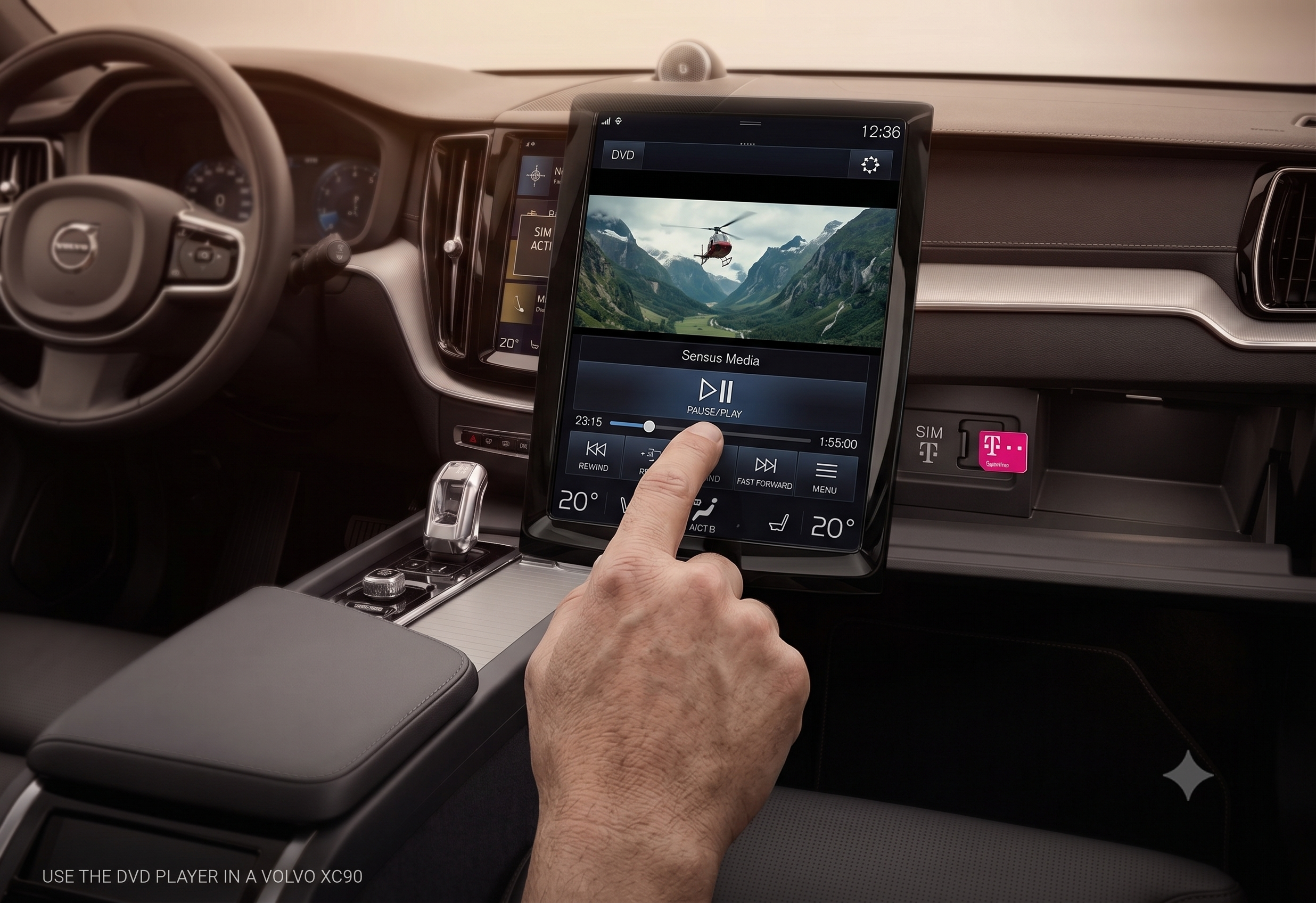
How to Use the DVD Player in a Volvo XC90?

Nothing buys you more peace on a road trip than two kids plugged into their own screens — and the XC90’s factory DVD system was built with exactly that in mind.
Volvo calls this the Rear Seat Entertainment system, or RSE, and it was a factory-available option on the first-generation XC90 (2003–2014). Here’s exactly how to power it on, load a disc, and get sound to the right headphones — plus what to check when it won’t cooperate.
TL;DR
- Power on: the remote or the DVD player’s own button activates the system whenever the ignition is in position I or II.
- Load a disc: insert it into the slot on the DVD player in the center console — <cite index=”82-1″>the film starts automatically, with sound routed to the headphones</cite>.
- Two headphone channels: Channel A is the driver’s side screen, Channel B is the passenger’s side — each headphone set can be switched between them.
- Auto shutoff: <cite index=”82-1″>with the key removed or in position 0, the system automatically switches off after 10 minutes to conserve the battery</cite>.
- Two hardware generations exist: pre-2009 models and 2009+ models with larger, easier-to-service 8-inch headrest monitors — parts and screens aren’t always interchangeable between them.
How to Power On and Load a Disc
Getting the system running takes just a couple of steps, whether you’re using the remote or the player itself.
Step 1: Get the ignition into position. The RSE only powers on with the key in position I or II — it won’t activate with the car fully off.
Step 2: Turn on the system. <cite index=”82-1″>The system can always be activated directly from the DVD player by pressing its power button once, or with the remote control while the ignition is in position I or II</cite>.
Step 3: Insert your disc. <cite index=”82-1″>Insert the DVD disc into the slot on the player, and the film will start automatically, with sound routed to the headphones</cite>. <cite index=”82-1″>The RSE also plays home-burned CDs in supported formats, and when playing a CD of media files, the player reads them in alphabetical order</cite>.
Quick Tip: <cite index=”82-1″>To access advanced settings on the DVD player, the disc tray needs to be empty first</cite> — if a menu option seems greyed out, eject your disc before trying again.
Getting Sound to the Right Screen and Headphones
This is where most first-time users get tripped up, since the system routes audio differently depending on how you want to use it.
<cite index=”82-1″>Each pair of wireless infrared headphones has a channel selector — Channel A for the driver’s-side screen, Channel B for the passenger’s-side screen — along with an LED on/off indicator, volume wheel, and its own on/off button</cite>. <cite index=”82-1″>Either set of headphones can be switched to work with either screen</cite>, so it doesn’t matter which pair ends up with which kid.
By default, sound plays through all of the car’s speakers unless you tell it otherwise. <cite index=”82-1″>If rear passengers are watching a DVD or using the AUX input, the driver and front passenger can still play the radio or a CD up front — audio only routes through all speakers, or exclusively to headphones, if the corresponding button on the remote is pressed to dedicate the rear speakers to the RSE</cite>.
Expert Insight: If you want total quiet up front while the kids watch a movie in back, dedicate the rear speakers to the RSE via the remote and have them use headphones only — that keeps movie audio completely out of the front cabin.
Using the Remote Control and On-Screen Menus
The remote does more than play and pause — it’s also how you navigate settings on each screen individually.
<cite index=”82-1″>The remote control operates the DVD player, the screens, and the speakers, and you point it toward whichever screen you want to adjust to make changes with its keypad</cite>. <cite index=”82-1″>One of the first things worth doing on a new setup is selecting your preferred menu language, which you do by pointing the remote at a screen</cite>. <cite index=”82-1″>To exit any menu, you can press the button repeatedly, or simply wait — after about five seconds of inactivity, the menu closes automatically</cite>.
If you’re watching a foreign-language film or just prefer captions on, <cite index=”82-1″>many DVDs offer subtitle or closed captioning options, and if the specific language you select isn’t available on that disc, it falls back to the disc’s default subtitle language</cite>.
Two Generations of RSE Hardware
Not every XC90 RSE system looks or services the same way, and it matters if you’re troubleshooting or shopping for parts.
<cite index=”78-1″>The RSE was upgraded starting with the 2009 model year to use larger 8-inch widescreen monitors with easier installation in the head restraint itself</cite>. <cite index=”78-1″>Both generations share the same basic layout: a DVD player accessible in the center console between the front seats, independent monitors mounted in the front seats’ head restraints (viewed by rear passengers), a remote control, and two sets of wireless infrared headphones</cite>.
<cite index=”78-1″>The two monitors are fully independent of each other, so one rear passenger can watch a movie while the other plays a video game through the AUX input</cite> — <cite index=”78-1″>that AUX input also supports connecting a game console, iPod, MP3 player, video camera, laptop, or another portable DVD player</cite>.
| Feature | Pre-2009 XC90 RSE | 2009+ XC90 RSE |
|---|---|---|
| Monitor size | Smaller headrest screens | 8-inch widescreen monitors |
| Installation | Original headrest mounting | Easier headrest installation |
| DVD player location | Center console | Center console |
| Independent dual-screen playback | Yes | Yes |
Quick Tip: <cite index=”78-1″>DVD players in this system are coded for Region 1 (US) discs by default; recoding for another region is possible only through a dealer using Volvo’s VIDA system</cite>. If you’re bringing discs from overseas, check the region coding before assuming the system is broken.
Troubleshooting Common RSE Problems
Given the age of this system in most XC90s on the road today, a few issues come up often enough to be worth knowing in advance.
Symptom: The DVD player won’t turn on at all, even with new remote batteries. Fix: This is very often a blown fuse rather than a dead player. <cite index=”77-1″>On many XC90s, there’s a fuse specifically dedicated to the RSE system hidden in the right rear cargo area, separate from the main fuses — removing the side panel and the triangular foam carpet piece reveals it</cite>. <cite index=”77-1″>Multiple owners have found their system fully restored after replacing this one easily overlooked fuse</cite>.
Symptom: The system won’t turn off, or screens activate unexpectedly. Fix: This points to a wiring or control module fault rather than user error. If cycling the ignition and removing the key doesn’t reset it, this is worth a dealer diagnostic rather than continued troubleshooting at home.
Symptom: A disc won’t read, skips, or gets stuck. Fix: Try a DVD lens cleaner disc first, since dust buildup is common in a system this age. If the tray genuinely won’t eject a stuck disc, check for a manual eject option before forcing anything — forcing a jammed slot risks further damage.
Symptom: An AUX-connected device plays audio but shows no video. Fix: <cite index=”79-1″>Some devices only output video through specific apps or media players — closing and restarting the connected app or device has resolved this for other owners</cite>, so it’s worth restarting the source device before assuming the AUX input itself has failed.
Frequently Asked Questions
Which XC90 model years came with the factory DVD player? The Rear Seat Entertainment system was a factory option on the first-generation XC90, spanning the 2003–2014 model years, with a hardware upgrade to larger 8-inch monitors starting in 2009.
Can I watch a DVD in the front seat while driving? No — this system is specifically designed to display video only on the rear-facing head restraint monitors, for the rear passengers, not the driver.
Why does the system shut off on its own? It’s designed to protect your battery. With the ignition off or the key removed, the RSE automatically powers down after about 10 minutes rather than draining the battery indefinitely.
Can I connect a streaming device instead of using DVDs? Yes, through the AUX input — many owners connect tablets, game consoles, or media players this way, especially as physical DVDs have become less common.
My screen is cracked — can I just replace the screen instead of the whole unit? Some owners report dealers quoting for a full unit replacement rather than just the screen. It’s worth asking a dealer directly whether a screen-only replacement is available for your specific model year before agreeing to a full unit swap.
Key Takeaways
- Power on with the remote or the player’s own button, with the ignition in position I or II.
- Insert a disc and it plays automatically, routing sound to the headphones by default.
- Headphones can switch between Channel A and B to match either headrest screen.
- A commonly overlooked fuse in the right rear cargo area is a frequent fix for a system that won’t power on at all.
- Hardware differs between pre-2009 and 2009+ systems — check your model year before ordering replacement parts.
Next step: If your RSE system won’t turn on, check the dedicated fuse in the right rear cargo area before assuming you need a new DVD player or headrest monitor.