EX30 INFOTAINMENT TROUBLESHOOTING GUIDE
Fixing Volvo EX30 Central Screen Crashes & “Can’t Load Android” Errors
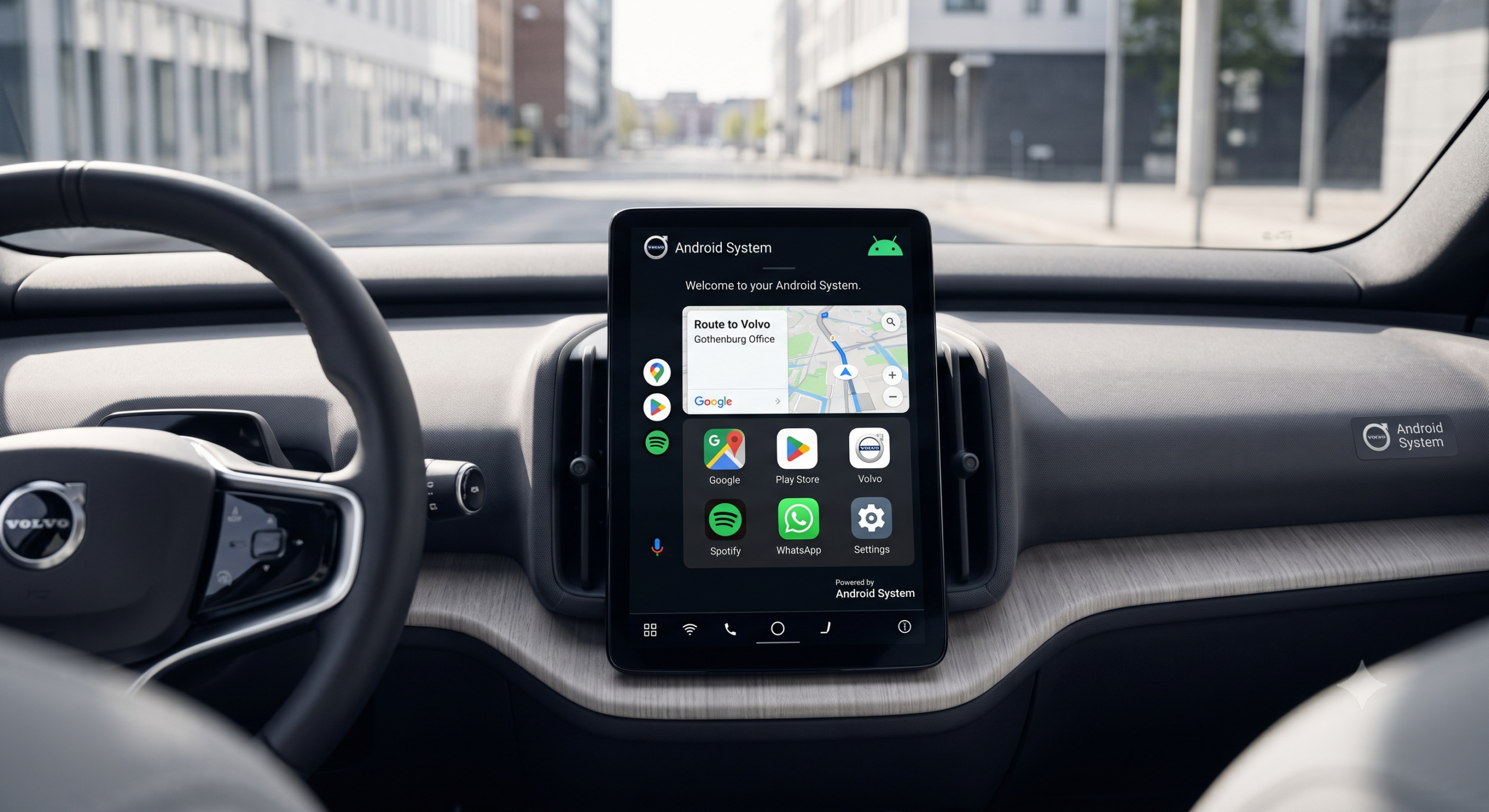
Because the Volvo EX30 eliminates almost all physical buttons, stalks, and instrument gauges, a frozen or unresponsive 12.3-inch central display leaves drivers unable to view speed, adjust mirrors, unlock the glovebox, or control climate. If your screen displays “Can’t load Android system. Your data may be corrupt”, a black blank screen, or an infinite spinning Volvo Iron Mark, follow the verified recovery procedures below in order.
Immediate Action
Hold Steering “-” & “Down” for 20s
Do NOT Select
“Factory Data Reset” on Black Screen
Permanent Resolution
Software Update v1.4.2 / v1.5+
Why Does the EX30 Display Crash or Throw Android Errors?
The EX30 runs Android Automotive OS (AAOS) developed by Google and deeply integrated into Volvo’s core computing module (the Infotainment Head Unit, or IHU). In early software releases (versions 1.2 through 1.3.1), background telemetry services and Google Automotive Services (GAS) cached logging files faster than the onboard solid-state storage could purge them.
When an Over-The-Air (OTA) update unpacks while the car enters a deep sleep cycle, a file verification conflict can trigger Android’s native Linux kernel recovery environment, presenting the feared prompt: “Can’t load Android system. Your data may be corrupt. If you continue to get this message, you may need to perform a factory data reset.”
⚠️
CRITICAL WARNING: NEVER EXECUTE “FACTORY DATA RESET” FROM RECOVERY
If the recovery menu appears with options “Try again” and “Factory data reset”, always choose “Try again” first. Selecting “Factory data reset” from the Android recovery bootloader can unpair your digital key cards, disconnect the Telematics and Connectivity Antenna Module (TCAM), and lock the vehicle into an immobilizer safe state that requires a flatbed tow to a Volvo retailer for VIDA key reprogramming.
The 4 Official Fix Methods: Step-by-Step
1
The Two-Button Steering Wheel Soft Reset
This forces the IHU processor to execute an immediate kernel reboot without power-cycling the drivetrain or high-voltage battery. Sit in the driver’s seat with doors closed. Simultaneously press and hold the Minus (-) button on the left steering wheel control pad and the Down Arrow (▼) button on the right control pad for 15 to 20 seconds. Release only when the screen shuts pitch black and the white Volvo Iron Mark logo illuminates. The boot sequence takes approximately 45–60 seconds.
2
The 20-Minute Deep Sleep & BAP/CAN Bus Cycle
If the screen stays dark after a soft reset, the vehicle’s Body Area Network (BAN) and Controller Area Network (CAN) microcontrollers need to complete an unhindered sleep cycle. Park the car, ensure all doors, windows, frunk, and tailgate are latched. Lock the vehicle using your key card or key tag. Walk at least 40 feet away so the passive Bluetooth beacon disengages. Wait 20 full minutes without touching the Volvo Cars app. Return to the car, unlock, and sit down—the weight sensor in the seat will wake fresh system firmware.
3
12V Auxiliary Battery Negative Terminal Reset
When the IHU processor is in a hard freeze loop, residual capacitor charge preserves the corrupted RAM state. Pop the front hood (frunk), remove the small plastic intake shroud on the driver’s side to reveal the 12V lead-acid auxiliary battery. Using a 10mm socket, loosen and disconnect the negative (-) black terminal cable. Secure it away from metal for 10 minutes to drain all capacitors. Reconnect the negative terminal, tighten to 5 Nm, latch the frunk, and unlock the vehicle.
4
Volvo Retailer VIDA Software Reload
If your EX30 continually reboots or crashes every few hours, the flash memory block requires a clean wipe and re-flash via Volvo’s proprietary VIDA diagnostic interface. Volvo Retailers have a dedicated Service Action (TJ / Campaign 37042) covering IHU reloading at zero cost under the 4-year / 50,000-mile factory warranty.
Interactive EX30 Screen Symptom Troubleshooter
Select your exact vehicle symptom below to reveal the official diagnostic protocol and success probability:
EX30 Infotainment Glitch Matrix: Causes & Recovery Benchmarks
| Failure Symptom | Root Technical Cause | Initial Solution | Dealer Patch / Permanent Fix | Field Success |
|---|
| “Can’t load Android” Error | Corrupted cache during background OTA patch unpack | Select “Try Again”, perform 20-min deep sleep | VIDA clean flash (Service Action 37042) | 82% DIY / 18% Dealer |
| Black Screen on Entry | IHU wake-up failure from 12V low-power hibernation | Steering Wheel (-) & (Down) hold 20 sec | Software v1.4.2+ power state management | 94% DIY Fix |
| Infinite Boot Loop (Logo) | Google Automotive Services memory allocation deadlock | Dual button reset + lock car for 30 min | Software v1.5 OTA update | 88% DIY Fix |
| Speed & Driving HUD Frozen | Display compositor GPU driver crash under load | Pull over safely; force reboot via steering keys | Kernel patch rolled out in version 1.4 | 99% DIY Fix |
Cause:
Corrupt OTA cache block
First Step:
Hit “Try Again” (Never Wipe!)
Dealer Fix:
VIDA reload Campaign 37042
Cause:
IHU wake-up failure from 12V sleep
First Step:
Hold (-) & (Down) for 20 sec
Dealer Fix:
Update to v1.4.2+
Cause:
Display compositor GPU freeze
First Step:
Pull over safely; soft reboot
Dealer Fix:
v1.4 kernel patch
What Software Version Fixes the EX30 Crashes?
Volvo acknowledged the software instability on early EX30 builds. Beginning with Software Version 1.4 and refined in 1.4.2 and 1.5, Volvo introduced:
- Hardware Watchdog Timer: If the user interface fails to refresh for more than 4 seconds, the operating system silently reinitializes the display server without disrupting vehicle propulsion or ADAS driver assists.
- OTA Download Sandboxing: New software updates download into an isolated storage partition and are only written to the active boot sector after full MD5 cryptographic verification.
- Memory Leak Mitigations: Eliminated the high-frequency diagnostic logging that previously clogged internal flash memory after 3,000+ miles of driving.
Frequently Asked Questions About Volvo EX30 Screen Failures
Can I legally and safely drive my Volvo EX30 if the screen is black?
You should not drive on public highways with a blank screen. Because the EX30 has no driver display behind the steering wheel, a black screen leaves you without a speedometer, turn signal indicators, blind-spot monitoring warnings, or battery range gauges. Pull into a safe parking lot or shoulder immediately and perform the 20-second soft reboot.
What happens if I click “Factory Data Reset” on the recovery screen?
Clicking “Factory Data Reset” wipes all user data, but it also erases the digital cryptographic pairing keys stored between the infotainment unit and the car’s keys/fobs. This frequently bricks your digital keys and mobile app access, forcing you to tow the vehicle to an authorized Volvo retailer to reprogram the keys via VIDA. Always choose “Try Again” first.
How do I restart the screen while driving if it freezes?
While driving, simultaneously press and hold the Minus (-) button on the left steering wheel spoke and the Down Arrow on the right spoke for 15-20 seconds. The screen will turn black and reboot. While the screen reboots, the electric motors, steering, and mechanical brakes remain 100% operational; however, you will briefly have no speedometer, so maintain a steady following distance.
Does Volvo cover infotainment screen replacements under warranty?
Yes. The central touchscreen, Infotainment Head Unit (IHU), and TCAM are fully covered under Volvo’s 4-year / 50,000-mile (or European 3-year / 100,000 km) factory bumper-to-bumper warranty. If diagnostic testing reveals hardware memory degradation, retailers replace the entire IHU module at zero cost.