Volvo Google Assistant Not Working: Troubleshooting and Solutions

Picture this: You’re running late for work, jumping into your Volvo, and trying to set up navigation with a quick “Hey Google” command. But there’s nothing but silence. Frustrating, right? Don’t worry – you’re not alone in this digital hiccup.
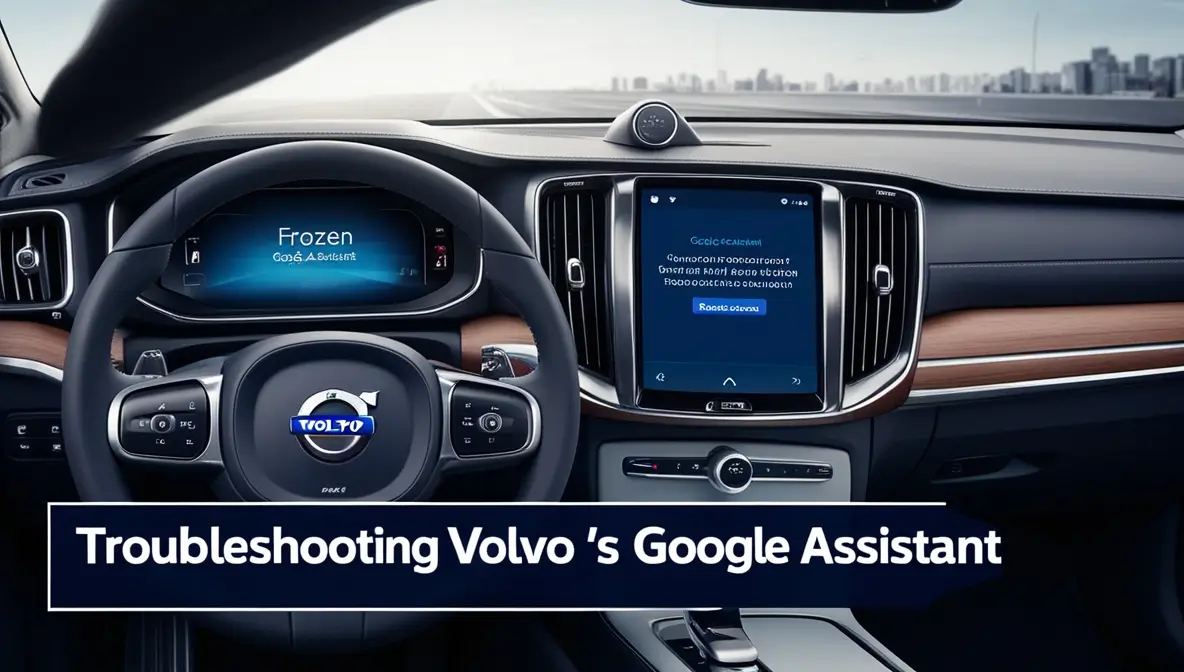
Is your Volvo’s Google Assistant giving you the cold shoulder? Poor internet connectivity, software glitches, or account sync issues are the most common culprits. Most of these problems can be fixed by a quick system restart or checking your connection strength.
Overview of Volvo’s Google Assistant Integration
Remember when cars were just for driving? Those days are long gone. Volvo has stepped up its game by bringing Google’s brainpower into your dashboard through Google Built-In. Think of it as having a smart home assistant, but one that’s specifically tuned for your car’s needs.
What is Google Built-In?
Volvo’s latest models, like the sleek XC40 and the eco-friendly C40 Recharge, come with Google’s trio of superpowers: Assistant, Maps, and Play. It’s like having a personal butler who knows how to handle your car’s features. Want to crank up the heat without taking your hands off the wheel? Just ask Google.
Common Use Cases for Google Assistant in Volvo Vehicles
Gone are the days of fumbling with buttons while driving. With Google Assistant, you can adjust your car’s temperature, change music, or even control your smart home devices from your driver’s seat. Imagine turning on your house lights while you’re still pulling into the driveway – pretty neat, right?
Key Issues with Volvo’s Google Assistant
Assistant Not Responding to Voice Commands
Sometimes, your Google Assistant might play hide and seek. You might say, “Hey, Google,” until you’re blue in the face, but nothing happens. It’s like trying to get a teenager’s attention during their favorite TV show – sometimes, you need to try a different approach, like using the center console’s manual activation.
Connectivity Challenges with Google Services
Your Google Assistant is only as good as your internet connection. If you’re in an underground parking garage or driving through a rural area with spotty coverage, your assistant might take an unexpected coffee break. Think of it like trying to video call from an elevator – it’s just not going to work well.
A strong mobile data connection or Bluetooth tethering is crucial, especially in areas where Volvo’s pre-configured data services aren’t available. It’s like ensuring your phone has good reception before making an important call.
Problems After Software Updates
Sometimes, software updates can be like that friend who shows up uninvited and rearranges your furniture. Your Google Assistant might act up after an over-the-air update, leaving you wondering what changed. The key is patience and making sure the update completes properly.
Troubleshooting Volvo Google Assistant Problems
Basic Steps for Re-enabling Google Assistant
Let’s start with the basics – kind of like the “turn it off and on again” approach, but a bit more sophisticated:
- Check if your car has a solid internet connection
- Give your infotainment system a fresh start if it’s being stubborn
- Make sure your Google Assistant is running the latest version
Resetting the Google Account Profile in the Car
Sometimes, your Google account needs a refresh – like clearing your browser cache but for your car. Log out, take a deep breath, and log back in. If that doesn’t work, try reconnecting through the Volvo Cars app. It’s like giving your digital presence a quick shower.
Checking for Over-the-Air (OTA) Software Updates
Think of OTA updates as vitamins for your car’s brain. You can find them in your center console settings, and it’s best to let them happen when your car’s taking a break. These updates usually take about 90 minutes – a perfect time to catch up on your favorite show or enjoy a nice dinner.
Pro tip: Don’t start an update right before you need to drive somewhere. Your car needs time to digest all that new information, just like we need time to wake up properly.
Advanced Solutions and When to Contact Volvo Support
TCAM Module Issues and Dealer Intervention
Sometimes, the problem goes deeper than just software hiccups. The TCAM (the Telematics and Connectivity Antenna Module – quite a mouthful, right?) might be acting up. Think of it as your car’s cell phone antenna – when it’s not feeling well, your Google Assistant gets lost.
If you’ve tried everything else and your assistant is still playing hard to get, it might be time to visit your Volvo dealer. They have special tools to reset the TCAM module that we mere mortals cannot access.
Re-pairing Bluetooth and Data Configuration
Just like you sometimes need to forget and reconnect to your home WiFi to get better internet, your car might need the same treatment. If you’re using your data plan or phone hotspot, make sure you’re connected to a strong signal. It’s like ensuring you have good reception before an important phone call.
Have trouble in areas without Volvo data coverage? Your phone’s hotspot can be your best friend here. Just ensure your data plan can handle it – we don’t want any surprise bills at the end of the month!
User Feedback and Common Experiences
Inconsistent Behavior Based on Location and Data Coverage
Here’s a fun fact from the Volvo community: Your Google Assistant might work perfectly in the city but get stage fright in the suburbs. It’s like cell phone coverage – some spots are great, others… not so much.
Many users often report their assistant working like a charm, with occasional moments of rebellion. It’s like having a smart but sometimes moody teenager in your car.
Best Practices from the Volvo Owner Community
The Volvo community is pretty clever when it comes to workarounds. Some owners swear by the “try, try again” method with Google commands, while others have succeeded with the good old “log out and back in” trick.
What’s encouraging is hearing success stories after software updates or resets. It’s like when your phone starts working better after a restart – sometimes, the simplest solutions are the best!
Preventive Measures and Recommendations
Regular Software and App Updates
Stay ahead of the game by keeping your car’s software fresh. Enable automatic updates for your Google Assistant and infotainment system – think of giving your car regular check-ups without the hassle of remembering to do it.
The best part? You can set these updates to happen overnight, so your car’s ready to roll with all the latest features when you head out in the morning.
Maintaining Strong Connectivity for Optimal Performance
Location, location, location! Just like real estate, where you park can make a difference. Try to park where your car gets good signal coverage – maybe not behind that thick concrete wall in the parking garage.
Volvo suggests using Bluetooth tethering as a backup plan if your car’s built-in connection isn’t cutting it. It’s like having a spare tire – you might not need it often, but you’ll be glad it’s there when you do.
Remember those spots where your phone always drops calls? Your car’s Google Assistant probably won’t like those places either. Planning ahead can save you from those frustrating moments when you need your assistant to work.
A quick tip: Keep your phone’s hotspot info saved in your car – it’s like having a backup generator for your smart features. Just remember to turn it on when needed!
By following these tips and tricks, you’ll spend less time troubleshooting and more time enjoying your smart Volvo features. After all, isn’t that what technology is supposed to do – make our lives easier, not more complicated?
Whether you’re a tech wizard or just getting started with your car’s smart features, remember that even the most advanced technology sometimes needs patience and care. And hey, if all else fails, there’s always the traditional buttons – they never stop working!