How to Lock a Volvo XC60 Without a Key?

Key fob dead, lost, or sitting on the kitchen counter three states away — and your XC60 is just sitting there, unlocked, in a parking lot? You’ve got more options than you probably think, and none of them require a locksmith.
TL;DR
- Every XC60 key fob hides a mechanical key blade that can manually lock the driver’s door through the lock cylinder behind the handle.
- <cite index=”70-1″>The Volvo Cars app (formerly Volvo On Call) lets you lock and unlock the car remotely from your phone with a single tap, as long as you have a connection.</cite>
- The XC60 has built-in automatic locking — it locks itself once you’re driving above a certain speed, and re-locks on its own if you unlock it but don’t open a door within a few minutes.
- If the fob is simply dead (not lost), a quick battery swap solves the problem permanently rather than relying on workarounds.
- A malfunctioning door lock mechanism, not just the fob, can also be the real culprit — worth ruling out if none of these methods work.
Method 1: Use the Hidden Key Blade
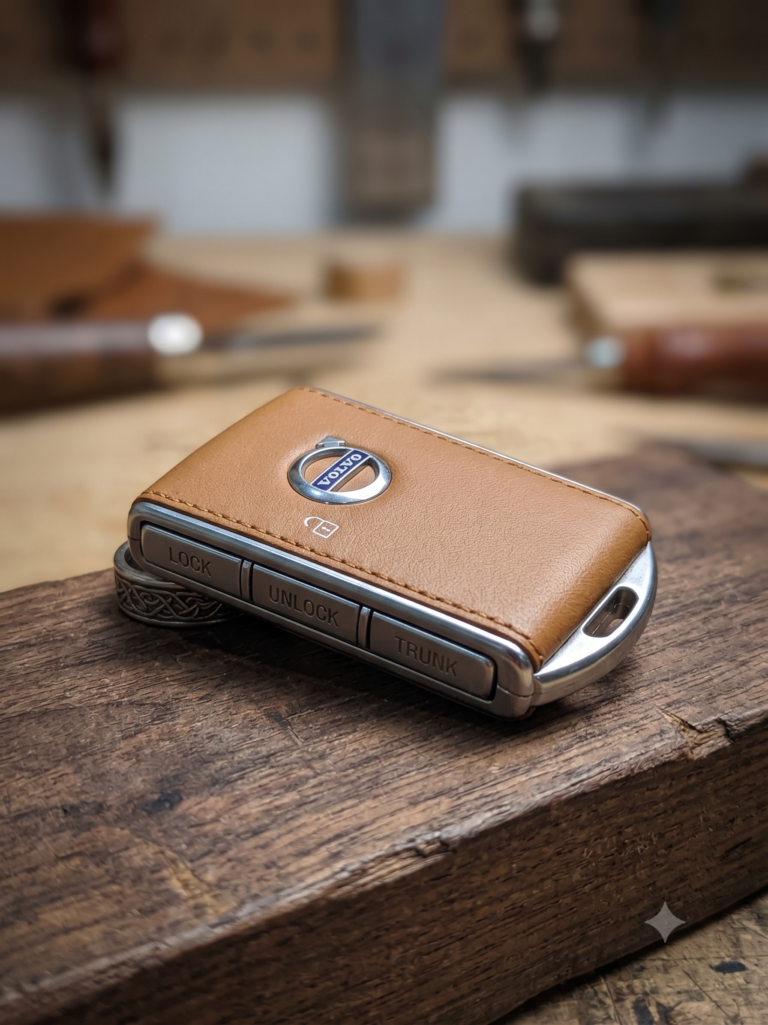
Every Volvo key fob has a mechanical backup built in for exactly this situation.
- <cite index=”74-1″>Find the slide latch near the silver section of the fob and hold it to the side to release the metal key blade.</cite>
- <cite index=”74-1″>Locate the small slot on the underside of the driver’s door handle cover, insert a screwdriver or the key blade tip, and pull the cover outward to pop it off.</cite>
- This reveals the lock cylinder hidden behind the handle.
- Insert the key blade and turn it in the direction opposite from unlocking to lock the door manually.
- Replace the handle cover once finished.
Quick Tip: <cite index=”71-1″>Keep a spare key fob battery in the glovebox — a CR2032 costs a couple of dollars and turns this whole workaround into a two-minute non-issue the next time your fob dies.</cite>
Pull-quote: “The key blade isn’t a gimmick — it’s the one locking method that works with zero battery, zero signal, and zero app.”
Method 2: Lock Remotely With the Volvo Cars App
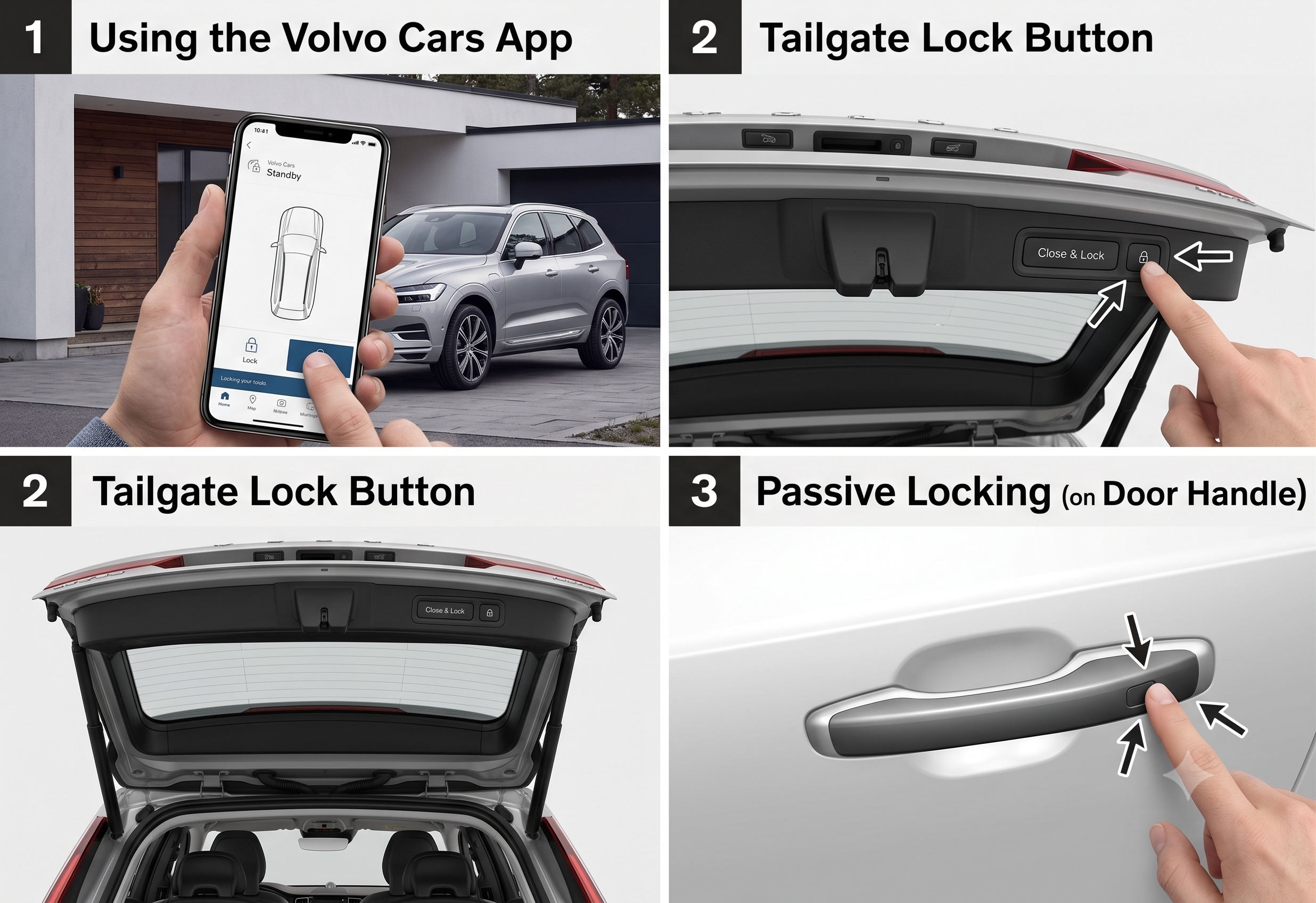
If your phone is in hand but the fob isn’t, this is often the fastest fix. <cite index=”70-1″>The Volvo Cars app lets you lock a Volvo remotely with a single tap, and also covers situations involving lost or damaged key fobs.</cite>
This only works if the app was set up on your account before the fob issue happened, and if you have a data or WiFi connection at the moment you need it — it won’t help in a dead zone, so it’s worth confirming this is active on your account well before you actually need it.
Expert Insight: Set up the Volvo Cars app the same week you take delivery of the car, not after the first fob emergency. It takes a few minutes to configure and turns a stressful moment into a non-event.
Method 3: Let the Car’s Automatic Locking Do the Work
Sometimes the simplest answer is that you don’t need to manually lock the car at all.
- Speed-based auto-lock: <cite index=”71-1″>Once you start driving and reach a certain speed, the XC60 automatically locks all doors on its own.</cite>
- Auto-relock: <cite index=”71-1″>If you unlock the car but don’t open any doors within a few minutes, it automatically locks itself again.</cite>
Between these two behaviors, a fob-less XC60 that’s already been driven or recently unlocked may already be secured without you doing anything. It’s worth checking the door handle before assuming you need a workaround at all.
Comparison: Which Method Fits Your Situation
| Method | Works With Dead Fob? | Works With Lost Fob? | Requires Phone/Signal? | Speed |
|---|---|---|---|---|
| Key blade | Yes | No — fob must be present | No | ~2 minutes |
| Volvo Cars app | Yes | Yes | Yes | Under 1 minute |
| Auto-lock (speed/relock) | Yes — passive | Yes — passive | No | Immediate, if triggered |
What If None of These Work?
If the key blade, the app, and the automatic locking behaviors all fail to secure the car, the issue may not be the fob at all. <cite index=”73-1″>A damaged or malfunctioning door lock mechanism can prevent the car from locking properly, independent of any key fob issue.</cite> In that case, replacing the fob battery or trying the app won’t fix anything — the car needs a service inspection of the lock hardware itself.
Quick Tip: <cite index=”73-1″>If a battery swap doesn’t resolve fob-related locking issues, the fob may need reprogramming by a certified Volvo technician rather than another battery replacement.</cite>
Pros and Cons by Situation
The Owner With a Dead Fob Battery
- ✅ The key blade and a battery swap together mean you’re never truly stuck, even without cell service.
- ❌ Locating and using the hidden cylinder cover takes a bit of trial and error the first time.
The Owner Who Left the Fob at Home
- ✅ The Volvo Cars app solves this instantly, assuming it was set up in advance.
- ❌ No signal means no app — this method has a real, non-negotiable dependency.
The Owner Who Just Drove Off
- ✅ Speed-based auto-lock likely already secured the car without any action needed.
- ❌ It’s easy to second-guess yourself and not realize the car locked itself already.
Frequently Asked Questions
Can I lock my Volvo XC60 with the key fob’s hidden blade? Yes — <cite index=”74-1″>the key blade slides out of the fob and fits into the lock cylinder hidden behind the driver’s door handle cover, allowing fully manual operation.</cite>
Does the Volvo Cars app work if I lost my key fob entirely? Yes — <cite index=”70-1″>the app provides remote locking and unlocking even for lost or damaged key fobs, not just dead-battery situations.</cite>
Will my XC60 lock itself automatically while I’m driving? Yes — <cite index=”71-1″>the car automatically locks all doors once you reach a certain driving speed.</cite>
What if my key fob’s battery is fine but the car still won’t lock? <cite index=”73-1″>A faulty door lock mechanism, separate from the fob itself, can also prevent proper locking and typically needs a service inspection.</cite>
Where exactly is the manual lock cylinder on an XC60? <cite index=”74-1″>It’s hidden behind a small cover on the underside of the driver’s door handle — pop the cover off to access it.</cite>
Key Takeaways
- The hidden key blade inside every fob can manually lock the driver’s door with zero battery or signal needed.
- The Volvo Cars app offers instant remote locking, provided it’s set up in advance and you have a connection.
- Built-in speed-based auto-lock and auto-relock features may have already secured the car without any action on your part.
- A dead fob battery is a permanent fix away — keep a spare CR2032 on hand.
- If nothing works, the door lock mechanism itself — not the fob — may be the actual problem.
Ready to Get Locked Up?
Try the fastest option available to you right now — app if you have signal, key blade if you don’t — and consider setting up the Volvo Cars app today so this is never a scramble again.
Volatile data flagged:
- The exact turn direction (clockwise/counterclockwise) for locking via the key blade isn’t clearly corroborated across sources for the locking direction specifically (sources confirm the unlock direction/process more clearly) — this draft intentionally uses “opposite direction from unlocking” rather than asserting a specific clockwise/counterclockwise claim; recommend confirming against the owner’s manual for the exact model year before publishing a more specific instruction.
- Volvo Cars app functionality description relies on a dealer-blog source (Gunther Volvo Cars) rather than official Volvo product documentation — per the product-self-knowledge policy, app feature specifics should be verified against current Volvo Support documentation before publishing, since app names and features have changed over time (formerly Volvo On Call).
Series anchor confirmation: No conflicts with existing XC60/XC40/EX-series anchors — this article is key fob/security feature content and doesn’t touch assembly, tax credit, or naming facts.