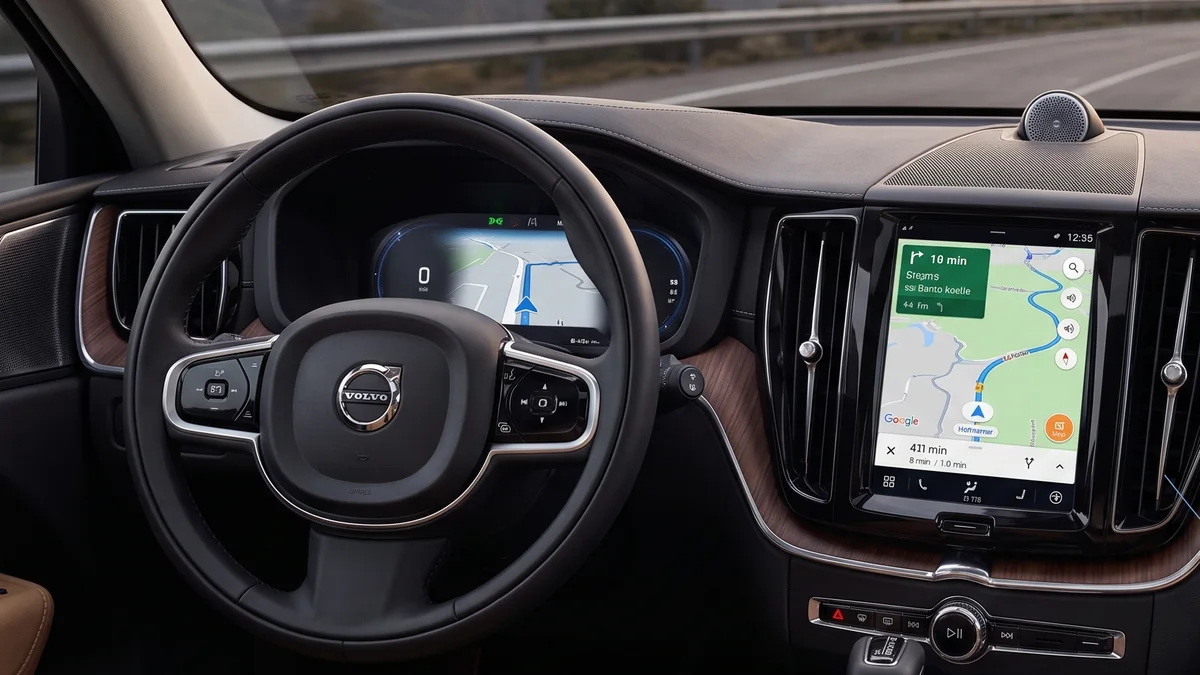
Does the Volvo XC60 Have Built-In Navigation? Sensus vs Google Maps Guide

Every modern Volvo XC60 is equipped with built-in navigation, but the operating system and capabilities depend entirely on the model year. 2022 and newer models run Google built-in (Android Automotive OS) with native Google Maps, real-time traffic, and electric range routing. 2018–2021 models feature Volvo Sensus Navigation with lifetime USB map updates, while first-generation models (2010–2017) utilize hard-drive-based Sensus mapping.
Native Google Maps (AAOS)
Volvo Sensus Navigation
Full 12.3-inch Map Integration
4-Year Digital Services Included
The Architecture of Volvo XC60 Navigation: Generation by Generation
If you are cross-shopping used Volvo XC60 models or upgrading to a showroom-fresh model, the navigation system is one of the most critical daily interfaces you will touch. Volvo has deployed three distinct navigation generations on the XC60 nameplate since its inception in 2008. Understanding the exact mechanical and software underpinnings of your specific vehicle will help you determine how updates are delivered, whether you need a mobile data subscription, and how seamlessly your smartphone integrates into the driving experience.
The second-generation XC60, built on Volvo’s scalable Scalable Product Architecture (SPA), underwent a massive technological divide between the 2021 and 2022 model years. Prior to 2022, Volvo utilized its proprietary, in-house developed Sensus Connect operating system. Beginning halfway through the 2022 model year (accompanying the introduction of B5 and B6 mild-hybrid powertrains), Volvo transitioned the entire XC60 lineup to Google built-in, an embedded implementation of Google’s Android Automotive OS (AAOS).
Select your Volvo XC60 model year and trim level to see exact navigation hardware, map update protocols, and subscription requirements.
Modern XC60 (2022–2025): Android Automotive OS & Native Google Maps
In all 2022, 2023, 2024, and 2025 Volvo XC60 models, navigation is not simply an auxiliary application running on a screen; it is the fundamental backbone of the vehicle’s electrical operating architecture. Google Maps is built directly into the car’s core telematic operating system. It communicates directly with the Battery Management Unit (BMU) on Recharge Plug-in Hybrids and mild-hybrid brake regeneration controllers to optimize thermal preconditioning and energy distribution along your planned route.
Key Features of the Google Built-in System:
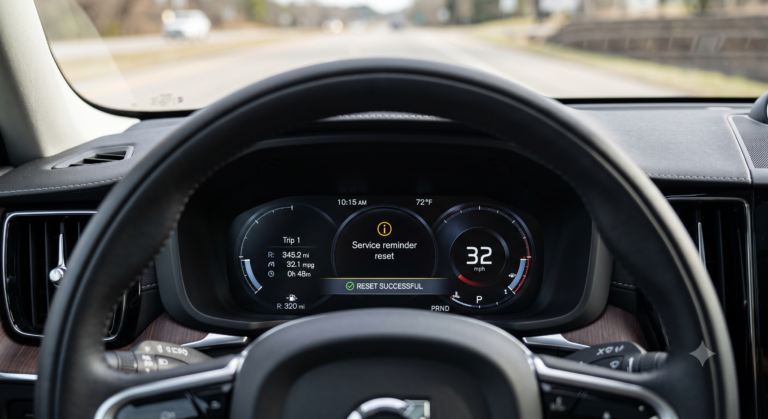
- Digital Driver Cluster Immersion: The 12.3-inch high-definition digital driver cluster features two distinct visual modes: Calm (which isolates essential speed and safety icons) and Navi. In Navi mode, the cluster displays full-bleed, high-resolution Google Maps imagery directly between the tachometer and speedometer.
- Head-Up Display (HUD) Synchronization: On Ultimate and Ultra trim levels, turn-by-turn directional arrows, distance countdowns, lane-guidance graphics, and road names are projected onto the windshield directly in the driver’s line of sight.
- Google Assistant Voice Control: Drivers can simply say “Hey Google, navigate to the nearest DC fast charger” or “Hey Google, find a coffee shop along my route.” The assistant understands natural syntax and can adjust cabin dual-zone climate settings without touching a button.
- Automated Over-The-Air (OTA) Updates: Map database updates, new roadway construction changes, speed limit revisions, and business points of interest (POI) download in the background via the car’s embedded 4G LTE telematics module without requiring any dealer visits or USB sticks.
Pre-2022 XC60 (2018–2021): Sensus Navigation & Lifetime USB Updates
Between 2018 and 2021, the second-generation XC60 featured the vertical 9-inch Sensus Connect touchscreen. Sensus Navigation was standard equipment on the luxury-focused Inscription and performance-oriented R-Design trims, while being a standalone option or package addition on the base Momentum trim.
Unlike newer cloud-connected Google systems, Sensus Navigation stores its entire continental map database locally on the vehicle’s internal solid-state hard drive. Because the maps are stored locally, Sensus Navigation will never lag, lose routing capabilities, or fail to render terrain when driving through remote national parks, mountainous canyons, or underground tunnels where cellular reception drops to zero.
Step-by-Step: Updating Sensus Maps via USB Flash Drive
volvocars.com/support, select your model year and ‘Sensus Navigation’, and download the official Volvo Map Downloader application for Mac or Windows. Select your geographic region (e.g., North America complete package is ~24GB).First-Generation XC60 (2010–2017): Sensus 7.0 & Hard Drive Systems
First-generation XC60 models built between 2010 and 2017 feature horizontal 7-inch color screens set high within the dashboard binnacle. Early editions (2010–2013) utilized Volvo’s Road and Traffic Information (RTI) system with a center control knob on the waterfall console, while post-facelift editions (2014–2017) utilized Sensus 3.0 and Sensus Connected Touch.
While map updates for these older units originally required multi-disc DVD sets or specialized dealer VIDA software flashes, Volvo released USB update patches for 2015+ first-gen models. While functional, their processing speed, routing algorithms, and lack of real-time crowd-sourced traffic make smartphone projection or dashboard magnetic phone mounts a common owner choice for daily commuting.
Technical Specification Matrix: All XC60 Infotainment Generations
| Model Years | Operating System | Navigation Engine | Cluster Display Mode | Map Update Delivery | Smartphone Mirroring |
|---|---|---|---|---|---|
| 2022–2025 (Refresh) | Android Automotive OS | Native Google Maps | Full 12.3″ cluster map projection + HUD | Automated Over-The-Air (OTA) | Wired Apple CarPlay |
| 2018–2021 (Gen 2 Early) | Volvo Sensus Connect | Sensus Navigation | Center navigation window in 12.3″ cluster | USB drive download via Volvo Support | Apple CarPlay & Android Auto |
| 2014–2017 (Gen 1 Facelift) | Sensus Connected Touch | HERE / Navteq Maps | Turn arrows in digital cluster TFT | USB stick formatted in FAT32 | Auxiliary / Bluetooth Audio only |
| 2010–2013 (Gen 1 Early) | Volvo RTI / Early Sensus | Hard Drive / DVD Mapping | Center console screen only | DVD Map Discs / Dealer VIDA update | 3.5mm AUX / Bluetooth hands-free |
Smartphone Projection: Apple CarPlay and Android Auto Integration
If you prefer using your smartphone’s navigation ecosystem over the built-in system, the XC60 provides comprehensive support, though the wiring requirements vary:
Apple CarPlay in the XC60:
- 2018–2021 (Sensus): Supports wired Apple CarPlay and Android Auto. When plugged into the white-ringed USB port in the center console, CarPlay tiles neatly into the bottom quadrant of the 9-inch screen, allowing native climate controls to remain accessible above.
- 2022–2025 (Google AAOS): Includes wired Apple CarPlay via front USB-C. Apple Maps can mirror turn instructions and roadway layout into the 12.3-inch driver cluster. However, wireless CarPlay is not supported from the factory; owners who require wireless connectivity frequently use certified aftermarket USB-C dongles (such as Ottocast or Carlinkit).
Summary Verdict: Which XC60 Navigation Fits Your Driving Habits?
If seamless voice commands, up-to-the-minute business hours, and automated traffic rerouting are paramount, the 2022+ Google built-in XC60 offers the undisputed class-leading experience. If you prioritize zero subscription fees, total offline independence, and simple USB map management, the 2018–2021 Sensus Navigation system provides bulletproof, lifetime reliability without any ongoing digital cost.
Infotainment Hardware Architecture: Sensus I-Cup vs Android Automotive SoC
To truly understand how built-in navigation functions across different Volvo XC60 generations, one must analyze the physical computing modules housed behind the dashboard. The mechanical transition between the 2018–2021 Sensus generation and the 2022+ Android Automotive OS (AAOS) generation represents a complete hardware paradigm shift rather than a simple software update.
1. Sensus Infotainment Control Unit (IHU / I-Cup)
In the 2018–2021 XC60 (SPA platform, early phase), navigation is processed by the Infotainment Head Unit (IHU) manufactured by Mitsubishi Electric / Alpine. The system is powered by an automotive-grade Intel Atom E3800 series dual-core processor clocked at 1.33 GHz, paired with 2GB of DDR3 RAM and a 64GB Solid State Drive (eMMC). The operating system is a customized build of Blackberry QNX Neutrino RTOS (Real-Time Operating System), which provides rock-solid stability for vehicle CAN-bus communication but limited runtime processing capacity for live satellite rendering.
Navigation mapping data is provided by HERE Technologies and stored directly on the internal solid-state flash drive. When an owner initiates a USB map update, the system writes map tiles through the high-speed USB 2.0 interface into the primary storage partition. Because the processor is dedicated to local map computation without heavy background app overhead, route calculations occur locally without requiring an active cellular connection.
2. Android Automotive IHU & Qualcomm Snapdragon Digital Cockpit
Beginning in the 2022 model year for the XC60 (and 2023 for other models), Volvo decommissioned the Intel/QNX architecture in favor of a customized Android Automotive OS platform developed in partnership with Google. The physical IHU was completely redesigned around the Qualcomm Snapdragon Automotive Cockpit Platform (SA6155P / 8155P), boasting an octa-core Kryo CPU, an Adreno 640 GPU, 8GB of high-speed LPDDR4X memory, and 128GB of UFS 2.1 flash storage.
This massive hardware upgrade allows the 2022+ XC60 to run native Google Maps with full 3D vector tile rendering, dynamic shadow simulation, live satellite photogrammetry, and real-time cloud traffic integration. The system communicates directly with the vehicle’s Central Electronic Module (CEM) via Ethernet-over-CAN (BroadR-Reach), permitting instantaneous synchronization between the center touchscreen and the 12.3-inch digital driver instrument cluster.
Deep Dive: How Offline Map Caching and Cloud Sync Function in Remote Areas
A frequent anxiety among XC60 owners is whether built-in Google Maps will fail when traveling through deep mountain passes, national parks, or remote rural areas without cellular coverage. Understanding the multi-tiered caching architecture of Google AAOS dispels this concern:
- Automatic Dynamic Caching: As you drive, Google Maps dynamically caches high-resolution vector tiles within a 50-mile radius of your current GPS coordinates. Even if your 4G LTE cellular connection drops from four bars to zero in the middle of a forest corridor, your active turn-by-turn routing, lane guidance, and speed limit displays continue without interruption.
- Proactive Destination Pre-Caching: Whenever you program a navigation destination, Google Maps automatically downloads the complete route corridor—including geometry, turn-point elevation profiles, and waypoint intersections—prior to your departure. If cellular reception is lost 200 miles into the trip, the system navigates seamlessly from cached data.
- Manual Offline Map Storage: For absolute peace of mind during wilderness expeditions, owners can open the Google Maps app settings on the center display, select ‘Offline Maps’, and drag a bounding box encompassing entire states or regions (up to 2GB per map package). These regional maps are stored permanently on the IHU flash memory and remain fully searchable by street name, address, and offline Points of Interest (POI).
Dealership VIDA Diagnostics & Navigation System Troubleshooting
When an XC60 navigation system experiences GPS drift, black screens, or failed map updates, authorized Volvo technicians do not rely on standard retail OBD-II scanners. Instead, they connect via the OBD port using the Volvo Vehicle Information & Diagnostics for Aftersales (VIDA) system paired with a DiCE (Diagnostic Communication Equipment) or VOE (Volvo OBD-to-Ethernet) interface.
Common Navigation Diagnostic Trouble Codes (DTCs)
- IHU-U110100 (GPS Antenna Open Circuit): Indicates an electrical disconnection in the coaxial RG-174 cable connecting the roof-mounted shark fin antenna module to the IHU under the dashboard. Frequently caused by water intrusion past the roof antenna seal during high-pressure car washes.
- IHU-B11A513 (Navigation Memory Partition Error): Typically occurs on 2018–2020 Sensus vehicles when a USB map update was interrupted by abruptly turning off the ignition during flash writing. Resolved by performing a forced partition reformat through VIDA followed by a full USB reload.
- TCAM-U019800 (Lost Communication with Telematics Module): On 2022+ Google models, the Telematics and Connectivity Antenna Module (TCAM) controls 4G LTE, GPS, and keyless entry. A lockup in the TCAM prevents Google Maps from acquiring satellite ephemeris data. Technicians resolve this by performing a TCAM backup battery reset (disconnecting the 12V terminal and the secondary NiMH coin-cell backup pack in the tailgate pillar for 15 minutes).
Frequently Asked Questions