How to Check Total Mileage on a 2024 Volvo XC60 (4 Easy Methods)

On the 2024 Volvo XC60 (equipped with Android Automotive OS), the total lifetime odometer is intentionally hidden from the primary driving cluster view to minimize driver distraction. You can view the exact total mileage instantly through 4 verified methods: 1) Pressing the Odometer button on the right-hand steering wheel keypad, 2) Viewing the bottom-left corner of the cluster during vehicle entry before shifting into Drive, 3) Checking Settings > System > Car Status on the center touchscreen, or 4) Viewing the live odometer reading on the Volvo Cars smartphone app.
Right Steering Wheel Keypad
Bottom-Left Upon Vehicle Entry
Settings > System > Car Status
Volvo Cars Mobile App Dashboard
Why Is the Total Mileage Hidden on the 2024 Volvo XC60?
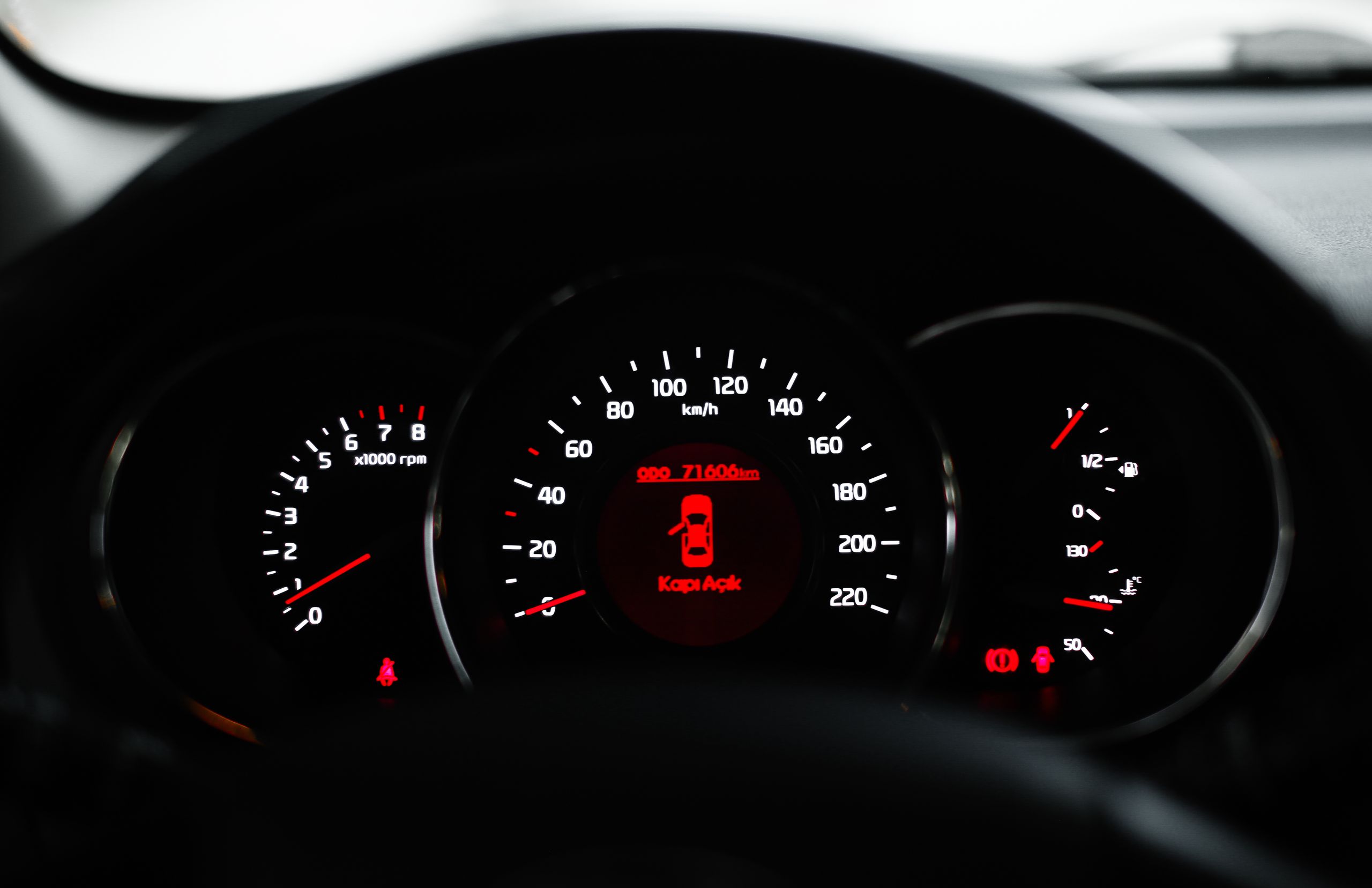
One of the most frequent service desk calls from new owners of the 2024 Volvo XC60 is simple: “Where is my odometer?” If you just drove off the dealership lot or brought your XC60 to an inspection station or oil change facility, you may be baffled to find that while you are driving down the highway, the 12.3-inch digital driver cluster displays your speed, the local speed limit, and a full-screen Google Maps route—but not the total lifetime odometer reading.
This is not a defect or a software glitch. It is an intentional design choice rooted in Volvo’s Swedish ergonomic safety philosophy. Volvo’s human factors engineers determined that displaying a constantly incrementing six-digit number while driving creates unnecessary cognitive clutter. Instead, the cluster isolates essential driving data during transit and provides multiple instant access points when total mileage is needed for logging, insurance reporting, or maintenance records.
Select the inspection method you wish to use to reveal exact steering wheel key combinations, visual menu paths, and reset procedures.
Right Steering Wheel Keypad
Press Odometer / Trip Icon
Cluster Overlay (Lower Center)
Yes (Instant overlay)
Method 1: Using the Right Steering Wheel Keypad (Instant In-Drive Access)
The fastest and most convenient way to check your total lifetime mileage while sitting in the driver’s seat—whether parked at a traffic light or cruising on the interstate—is via the multi-function keypad on the right-hand steering wheel spoke.
Method 2: The Door Open / Start-Up Ignition Sequence
If your car is parked in your garage or driveway and you simply need to record your odometer reading for an insurance renewal, state inspection sticker, or tax deduction log, you do not even need to start the vehicle or touch the steering wheel:
- Step 1: Unlock the XC60 using your key fob, digital key, or door handle touch sensor.
- Step 2: Open the driver’s door and sit down on the driver’s seat cushion (the weight sensor activates the instrument cluster).
- Step 3: Look at the bottom-left or bottom-center corner of the 12.3-inch cluster screen before stepping on the brake pedal or shifting the crystal gear selector into Drive.
- Step 4: The total lifetime odometer is displayed in crisp white digits next to the outside ambient temperature reading. Once you shift into Drive or Reverse, the display transitions into driving mode and suppresses the total mileage figure.
Method 3: Checking via the 9-Inch Center Infotainment Touchscreen
If you prefer using the center Google Automotive display to examine full vehicle health telemetry, your total mileage is permanently documented inside the System settings:
- Tap the Settings (Gear Icon) located at the bottom-right corner of the 9-inch center touchscreen.
- Tap System in the settings menu list.
- Select Car Status or Trip Computer.
- Here, the vehicle presents an exhaustive breakdown of lifetime total distance, average lifetime consumption (MPG or L/100km), historical drive cycles, and service countdown intervals.
Method 4: Checking Remotely via the Volvo Cars Smartphone App
You do not need to be anywhere near your 2024 Volvo XC60 to check its total mileage. The vehicle’s embedded 4G LTE telematics module synchronizes vehicle status with the Volvo cloud infrastructure every time the ignition is switched off.
To view your mileage from your couch, office, or mechanics shop: Open the Volvo Cars App on your iPhone or Android device. On the main ‘Car’ home tab, look directly beneath the high-resolution 3D rendering of your XC60 and the fuel/battery charge percentage bars. Your exact lifetime odometer reading is prominently printed down to the single mile.
Comparison Matrix: All 4 Odometer Retrieval Methods
| Method Name | Physical Interface | Required Action / Path | Data Displayed | Works When Driving? |
|---|---|---|---|---|
| 1. Steering Wheel Keypad | Right spoke 4-way keypad | Press bottom-left trip icon | Total Odometer, TM, TA, Avg Speed, MPG | Yes (Dismisses after 10 sec) |
| 2. Vehicle Start Sequence | Door latch / brake pedal | Sit in driver seat before selecting Drive | Total Odometer, Outdoor Temp, Clock | No (Transitions to Calm/Navi mode) |
| 3. Center Infotainment | 9″ Portrait Touchscreen | Gear Icon > System > Car Status > Trip | Full telemetry log, TM/TA reset toggles | Yes (Audio/Maps remain active) |
| 4. Volvo Cars App | Smartphone (iOS / Android) | Open app > Car Status dashboard tab | Lifetime Odometer, tire pressure, doors | Yes (Remote access from anywhere) |
Summary Verdict: Never Wonder Where Your Mileage Is Again
While Volvo’s modern minimalist cluster suppresses the total odometer during high-speed driving to maximize focus on road hazards and navigation geometry, retrieving your exact numbers takes literally one second via the right steering wheel trip button. For remote checks, the Volvo Cars app ensures your maintenance records and insurance logs are always at your fingertips.
Driver Cluster Architecture & CAN-Bus Mileage Calculation
The 2024 Volvo XC60 features a Continental-engineered 12.3-inch Thin Film Transistor (TFT) active-matrix LCD digital instrument cluster. Unlike traditional mechanical or early electronic odometers that relied on a simple pulse-counter wire from the transmission output shaft, modern SPA (Scalable Product Architecture) Volvos calculate vehicle mileage through a decentralized, cryptographic multi-module network.
Four independent wheel speed sensors (Hall-effect sensors located on each wheel hub) transmit rotational pulses to the Anti-lock Brake System (ABS) / Electronic Stability Control (ESC) module. The ABS module averages these pulses, adjusts for tire rolling circumference, and broadcasts the calculated distance across the high-speed Controller Area Network (CAN-HS) and FlexRay bus at 500 kbps.
This mileage payload is simultaneously recorded into three separate control modules to prevent odometer rollback and tamper attempts:
- Central Electronic Module (CEM): Acts as the primary master gateway and stores the legally recognized master odometer in non-volatile EEPROM memory.
- Driver Information Module (DIM): The instrument cluster itself, which stores a synchronized mirror of the mileage value.
- Transmission Control Module (TCM) & Engine Control Module (ECM): Records total operating distance alongside cumulative engine run-hours and transmission shift-cycle counters.
Professional Verification: Detecting Odometer Fraud via Volvo VIDA
Because the digital cluster can be configured to display trip meters or simplified navigation views, pre-owned vehicle buyers frequently worry whether the displayed mileage accurately reflects the vehicle’s true mechanical wear. Independent mechanics and authorized Volvo technicians utilize Volvo VIDA (Vehicle Information & Diagnostics for Aftersales) paired with a DiCE or VOE Ethernet adapter to verify odometer integrity.
During a VIDA diagnostic interrogation, technicians navigate to Diagnostics > Network > Central Electronic Module > Parameters. They read Parameter ID PID 0x0131 (Cumulative Vehicle Distance) and compare it to the mileage stored in the Transmission Control Module. If an unscrupulous seller installed an aftermarket CAN-bus “mileage blocker” or swapped a salvaged instrument cluster, VIDA will immediately flag a mismatch error code: CEM-U210000 (Odometer Calibration Inconsistency).
Troubleshooting Cluster Freezes & Trip Computer Glitches
On 2024 XC60 models running Android Automotive OS (AAOS), software background processes can occasionally cause the instrument cluster to lag or freeze the trip odometer reading. If you notice your trip mileage failing to advance or the driver display remaining stuck in Map View:
Frequently Asked Questions