How to Change MPH to KM/H on a Volvo XC60?

The Honest Answer First: It Depends What You’re Trying to Change
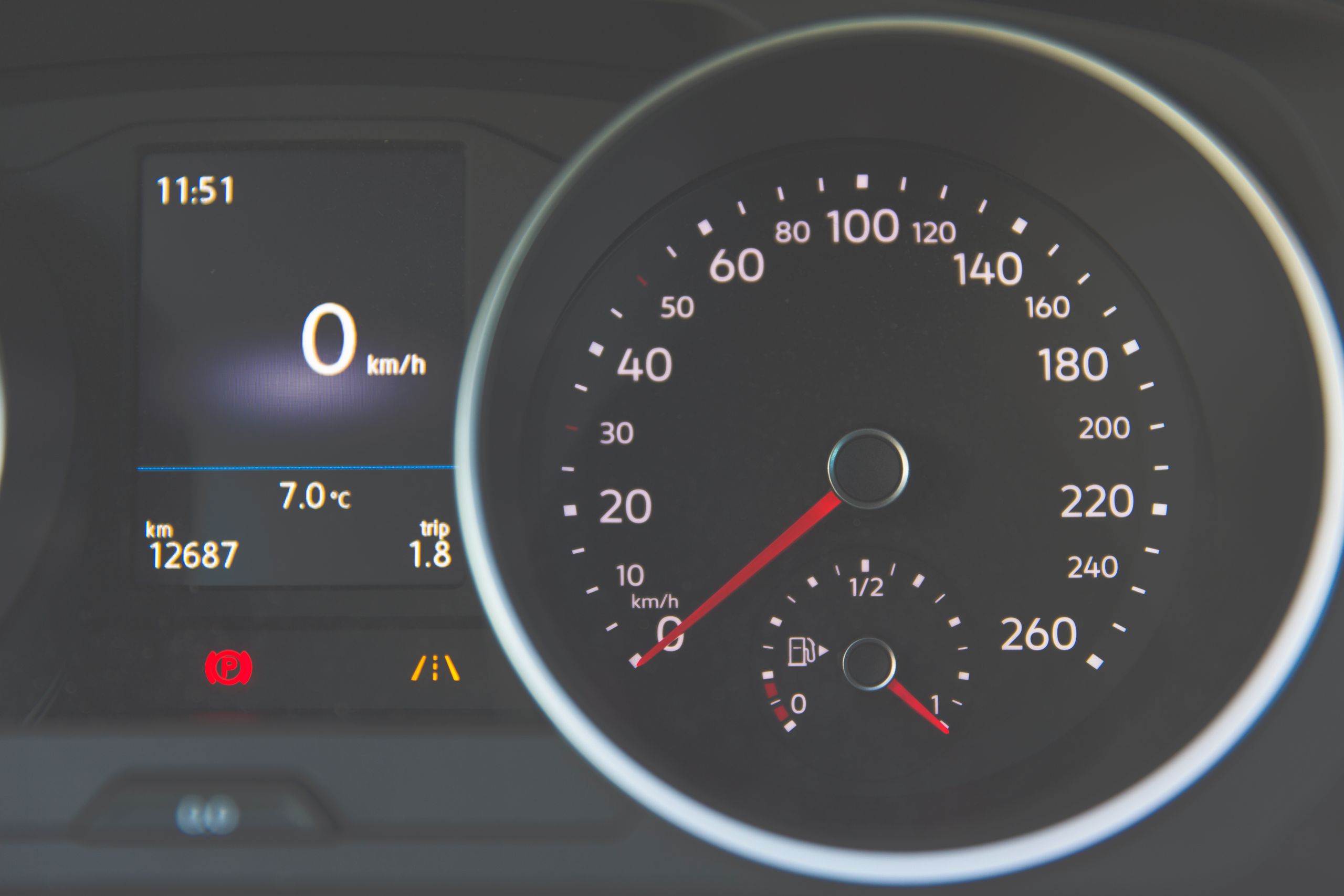
Before you go digging through menus, here’s the thing owners often don’t realize: the main analog speedometer needle on a Volvo XC60 is set at the factory for its market — mph for North America, km/h for Europe — and it generally can’t be changed by the owner. What you can usually change is the digital speed readout inside the instrument cluster, and the units used elsewhere in the trip computer. Whether that toggle is available at all depends heavily on your model year and software version.
This guide draws on Volvo’s own settings documentation alongside firsthand reports from XC60 owners across model years, because the honest answer here is more nuanced than most quick-fix articles let on.
TL;DR
- The physical speedometer gauge is locked to your market’s units and is not user-changeable in most cases.
- The digital speed display in the cluster can often — but not always — be toggled separately.
- On 2009–2017 XC60s, look for “Tourist” mode via the trip computer stalk.
- On 2018+ XC60s, check Settings > System > Units on the center touchscreen.
- Some owners on newer software versions report the option disappearing entirely after an update — this is a known frustration, not something you’re doing wrong.
Step 1: Understand What You’re Actually Changing
There are two separate things that can show speed: the analog needle gauge, and the digital numeric readout. The needle gauge is calibrated at manufacture for the market the car was built and sold in, and Volvo doesn’t offer a straightforward owner-level way to convert it. Owners who’ve tried — including some cross-border European buyers of U.S.-spec cars — have generally been told by Volvo service centers that recalibrating the analog gauge requires special dealer software and, in some cases, a full instrument cluster replacement.
The digital readout, by contrast, is often software-controlled and more likely to be adjustable, though this varies significantly by year.
Quick Tip: If your goal is just to see km/h somewhere on your dash without touching the main gauge, focus on the digital display and trip computer settings below rather than the needle speedometer.
Step 2: Try the Settings Menu (2018–2026 XC60)
On second-generation XC60s with the touchscreen infotainment system, the units setting lives in the general settings menu.
- Tap the Settings icon on the center touchscreen.
- Navigate to System (sometimes labeled System settings).
- Select Units.
- Choose your preferred unit for speed, distance, temperature, and fuel consumption.
Expert Insight: Some owners on newer software builds report this option missing or grayed out after an over-the-air update, particularly on vehicles originally sold with a fixed regional unit setting. If yours is missing, that’s a known issue — not a step you’ve skipped.
Step 3: Try the Trip Computer / Steering Column Stalk (2009–2017 XC60)
First-generation XC60s handle this differently, through the trip computer controls rather than a touchscreen menu.
- Use the left steering column stalk to access the trip computer display.
- Rotate the thumb wheel or press the READ button to cycle through display options.
- Look for a “Tourist” mode — this is a secondary unit display specifically meant for crossing between mph and km/h regions.
- Select the unit option that matches what you need.
Some owners also report a units setting inside the main Sensus menu under vehicle settings, separate from the Tourist mode — it’s worth checking both, since availability varies by exact trim and software version.
Real-World Scenario: Driving From the U.S. Into Canada
Picture a U.S.-spec XC60 owner driving north into Canada, where speed limits are posted in km/h. Rather than doing mental math at every sign, they use Tourist mode (or the digital settings menu) to get a km/h readout on the secondary display, while the main needle gauge stays in mph exactly as it left the factory. It’s not a perfect fix — the big analog needle is still calibrated to mph — but it solves the practical problem of reading posted speed limits correctly.
Why Some Owners Can’t Change It At All
If you’ve gone through the menus and found no unit-switching option whatsoever, you’re not alone — and it’s likely a software or regional-lock issue rather than user error. Reports across Volvo owner forums describe the settings option disappearing after certain over-the-air software updates, particularly on newer electrified models. In these cases, some owners have been told by Volvo customer support that a fix or restoration of the setting may come in a future update — but there’s no guaranteed timeline.
| Scenario | Likely Outcome |
|---|---|
| 2009–2013 XC60, analog cluster | Tourist mode on digital readout works for most owners |
| 2014–2017 XC60, digital-style cluster | Mixed reports — some models allow it, some don’t |
| 2018–2021 XC60, Sensus infotainment | Usually available under vehicle settings |
| 2022+ XC60, Google-based infotainment | Available for many, but some report it removed after software updates |
Pros & Cons by Owner Type
The Cross-Border Commuter
- ✅ Tourist mode or the digital settings menu solves the practical need to read posted speed limits correctly
- ⚠️ The main analog gauge stays in your home market’s unit regardless — plan to rely on the secondary display
The European Buyer of a U.S.-Spec Import
- ⚠️ Converting the primary speedometer typically requires a dealer-level software or hardware change, and some dealers have declined to do it
- ⚠️ Worth confirming with a seller before purchase whether a US-import XC60 is even legal to register with an mph-only primary gauge in your country
The Software Update Casualty
- ⚠️ If a past update removed your unit-switching option, there’s no reliable owner-level workaround — contacting Volvo support and asking about a fix in a future release is the most realistic path
If the Built-In Toggle Doesn’t Work for You
Choose a phone-mounted GPS app as a workaround if your XC60’s settings menu doesn’t offer a unit toggle — most navigation apps let you display speed in either unit regardless of what the car itself shows.
Choose to contact Volvo customer support directly if your unit-switching option vanished after a software update — some owners have gotten more specific, model-year-accurate guidance this way than from generic forum threads.
Quick Tip: Before assuming your car is broken or missing a feature, check both the touchscreen Settings menu and the steering column stalk controls — depending on your generation, the option you need might be hiding in either place.
FAQ
Can I change my Volvo XC60’s speedometer from mph to km/h? The main analog needle gauge is generally locked to your market’s units, but many model years let you display a separate digital speed readout in km/h through Tourist mode or the settings menu.
Where do I find the units setting on a newer Volvo XC60? On 2018 and later models with the touchscreen, go to Settings > System > Units and select your preferred unit for speed and other measurements.
Why doesn’t my Volvo XC60 have a unit-switching option at all? Some owners report this setting disappearing after a software update, particularly on newer electrified models — this is a known limitation for some vehicles, not something you’re missing in the menu.
What is Tourist mode on a Volvo XC60? It’s a secondary display setting, mainly found on first-generation XC60s, that lets you view speed and distance in a different unit than your primary gauge without changing the main speedometer.
Is it legal to drive with a US-spec mph-only speedometer in a km/h country? This varies by country and is worth confirming with local vehicle registration authorities before buying an imported XC60 — some owners have run into registration issues over exactly this.
Key Takeaways
- The primary analog speedometer is generally fixed to your market’s units and not user-adjustable.
- The digital readout can often be toggled separately, depending on model year and software.
- 2009–2017 models typically use Tourist mode via the steering column stalk.
- 2018+ models typically use Settings > System > Units on the touchscreen.
- Some owners have lost this option after software updates — that’s a known issue, not a mistake on your part.
What to Do Next
Check both the touchscreen Settings menu and the steering column stalk controls for your specific model year, and if neither shows a units option, contact Volvo customer support to ask whether it’s been affected by a recent software update.