How to Reset the Maintenance Light on a Volvo XC90?

Getting your XC90’s oil changed and then discovering the maintenance light is still glowing on the dashboard is a genuinely annoying way to end a service visit. The fix is usually simple, but the exact steps depend heavily on which generation of XC90 you’re driving — the reset method for a 2008 model looks nothing like the process on a 2020. I’ve researched documented reset procedures across both the first-generation (P2) and second-generation (SPA platform) XC90, and getting the right method for your specific car matters more than most guides let on.
TL;DR
- First-generation XC90 (2003-2014): Uses the trip odometer reset button combined with specific key position timing.
- Second-generation XC90 (2016+): Uses the steering wheel “OK/i” button held while turning the start knob, or the “-” button while starting the engine depending on the exact procedure.
- Confirm the actual service was completed before attempting a reset — some systems won’t accept the reset if service parameters aren’t properly aligned.
- If the light returns immediately after a reset, it may indicate a real fault, not just an overdue reminder — don’t keep force-resetting it.
- The Volvo Cars app may also offer a reset option on newer connected models as an alternative to the manual button sequence.
The Core Answer
How you reset the maintenance light depends entirely on which XC90 generation you have. On the first-generation XC90 (2003-2014), turn the key to position I, press and hold the trip odometer reset button, then turn the key to position II within about 2 seconds while continuing to hold the button. Keep holding until you see the indicator light flash, then release within the specified window — timing varies slightly by model year, generally between 4 and 14 seconds depending on your trip meter’s starting state.
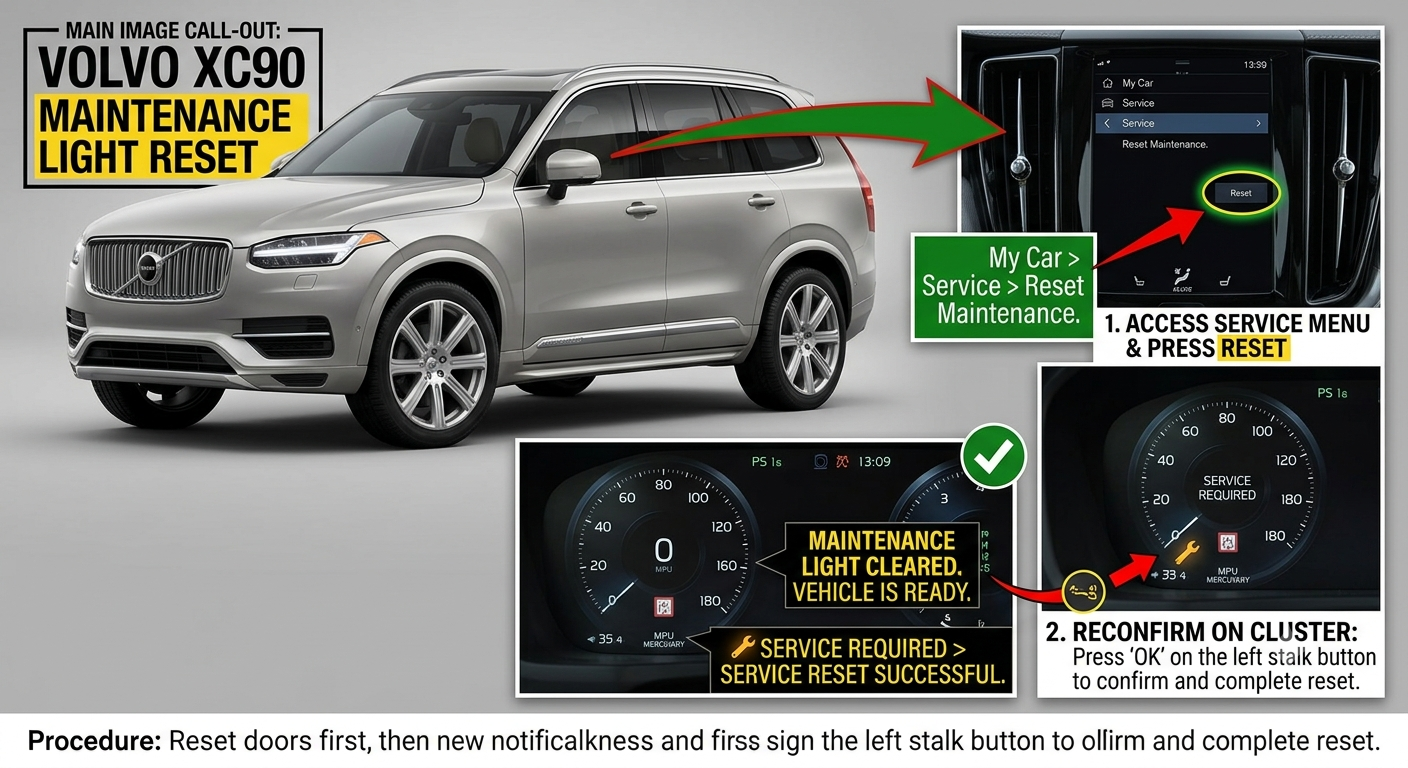
On the second-generation XC90 (2016+, SPA platform), the process typically involves turning the ignition on without starting the engine, then holding the steering wheel’s left “OK/i” button until the information symbol flashes, confirming the reset.
Pull-quote: “The reset button sequence isn’t one universal trick — it’s a different dance depending on which XC90 generation you’re driving.”
Why the Reset Procedure Isn’t the Same for Every XC90
Volvo’s electronic architecture changed significantly between the first-generation P2 platform and the newer SPA platform, and the maintenance reset mechanism changed right along with it. Older XC90s rely on the trip odometer’s reset button as the interface point, tied to specific key position timing that the car’s older electronics were built around.
Newer SPA-platform XC90s moved the interaction to the steering wheel controls instead, reflecting the more digital dashboard and driver display these models use. That’s why following a reset guide written for the wrong generation simply won’t work — the car’s software isn’t listening for that particular input sequence at all.
Quick Tip: Confirm your XC90’s generation before following any reset guide. First-generation models (2003-2014) use the trip button method; second-generation models (2016+) use the steering wheel “OK/i” button.
Step-by-Step: First-Generation XC90 (2003-2014)
This method uses the trip odometer’s reset button combined with specific ignition key timing. Documented dealer guidance describes the general sequence:
- Turn the key to position I (accessory position, not started).
- Press and hold the trip odometer reset button — do not let go.
- Turn the key to position II within about 2 seconds, while still holding the button.
- Continue holding until a yellow indicator light flashes, confirming the system is ready for you to release.
- Release the reset button within the specified window after the flash (typically 4 seconds, though some model years and situations call for holding 10-14 seconds if the trip meter was already at zero).
- Listen for an audible signal confirming the reset was successful.
Step-by-Step: Second-Generation XC90 (2016+, SPA Platform)
Newer XC90s use the steering wheel controls rather than the trip odometer button. Documented guidance for these models describes:
- Turn the ignition to the “ON” position without starting the engine.
- Locate the “OK/i” button on the left side of the steering wheel (some sources describe using the “-” button while starting the engine instead — the exact control can vary by specific model year and software version).
- Press and hold the button until the information symbol on the driver display flashes.
- Confirm the reset through the on-screen prompt if one appears.
- Turn the ignition off, then restart to verify the reminder has cleared.
Here’s a quick reference comparing both generations:
| First-Gen XC90 (2003-2014) | Second-Gen XC90 (2016+) | |
|---|---|---|
| Control used | Trip odometer reset button | Steering wheel “OK/i” button |
| Key position | I, then II within ~2 seconds | Ignition ON, engine off |
| Confirmation | Audible signal, flashing yellow light | Flashing info symbol on driver display |
| App alternative | Not available | Possibly, via Volvo Cars app on connected models |
Pros & Cons by Reader Type
Owner of a first-generation XC90 doing a DIY oil change
- ✅ No special tools needed — just correct key timing
- ❌ Documented forum discussions show this method can take several attempts to get the timing right
- ❌ Timing windows vary slightly by specific model year, adding to the trial and error
Owner of a newer SPA-platform XC90
- ✅ Steering wheel controls are more straightforward once you know the button
- ❌ Exact button and sequence details vary across sources, so confirming with your specific owner’s manual helps
- ❌ Some connected models may also support app-based reset as an alternative
Owner whose light won’t clear no matter what
- ✅ This is diagnosable — often a stored fault code or an actual mechanical issue rather than reset-procedure user error
- ❌ A “frozen” reset (as documented with certain fault codes) may require a professional-grade Volvo scanner to clear before a manual reset will work again
Real-World Scenario
Picture doing your own oil change on an older XC90 and trying the trip-button reset method several times without success, only for it to finally work on the third attempt once you hold the button for the full 10-14 second window rather than the shorter 4-second one. That kind of trial and error is genuinely common and documented across multiple owner forums — it’s less about doing something wrong and more about hitting the precise timing window your specific car expects.
Now picture a different scenario: the light keeps coming back immediately after every reset attempt. In one documented case, a specific fault code had effectively “frozen” the manual reset function entirely, and only a professional Volvo scanner tool could clear both the code and the light together before a normal reset would stick again.
Alternatives Worth Considering
- Use the Volvo Cars app if your XC90 is a newer connected model — it may offer a maintenance reset option as an alternative to the manual button sequence.
- Visit a Volvo dealer or specialist if repeated reset attempts fail — a quick diagnostic session can rule out a stored fault code blocking the reset.
FAQ
How do I reset the maintenance light on an older XC90 (before 2015)? Turn the key to position I, hold the trip odometer reset button, turn to position II within about 2 seconds, and continue holding until the indicator flashes before releasing.
How do I reset the maintenance light on a newer XC90 (2016+)? Turn the ignition on without starting the engine, then hold the steering wheel’s “OK/i” button until the information symbol flashes.
Why does the light come back immediately after I reset it? This can indicate a stored fault code rather than just an overdue reminder — in some documented cases, a specific fault code needs to be cleared with a professional scanner before the manual reset will work.
Do I need a diagnostic tool to reset the light myself? Not usually — most model years support a manual button-based reset, though a scanner may be needed if a fault code is blocking the reset.
Should I reset the light even if I haven’t actually done the service? No — the reminder is tied to actual maintenance being completed, and resetting it prematurely just delays you noticing when service is genuinely due.
Key Takeaways
- The reset method depends entirely on your XC90’s generation — first-gen models use the trip button, newer SPA-platform models use the steering wheel.
- Timing precision matters more than most guides suggest, and several attempts may be needed to get it right.
- A light that immediately returns after resetting can indicate a real fault, not just a reminder.
- The Volvo Cars app may offer an alternative reset method on newer connected models.
- Always confirm the actual maintenance was completed before attempting a reset.
Next Step
Confirm your XC90’s generation first, then follow the matching reset procedure above — if it doesn’t clear after a few careful attempts, consider a quick diagnostic check for a stored fault code.