How to Use Apple CarPlay in Your 2019 Volvo XC90?

Plug in your iPhone, tap one prompt, and you’re done — using Apple CarPlay in a 2019 XC90 is genuinely that simple, once you know where the cable goes.
The 2019 XC90 was one of the earlier Volvo models to get CarPlay, and it runs through the Sensus Connect system with a wired-only connection — no wireless option here. Here’s exactly how to get it running, plus what to do when it won’t connect.
TL;DR
- Your 2019 XC90 supports CarPlay through the Sensus Connect 9-inch touchscreen, connected via USB cable only (no wireless CarPlay on this model year).
- Enable CarPlay and Siri on your iPhone first, under Settings, before plugging in.
- Use the white-framed USB port if your XC90 has two — that’s the one CarPlay requires.
- CarPlay and Bluetooth can’t run at the same time — CarPlay takes over and disables the Bluetooth audio connection while active.
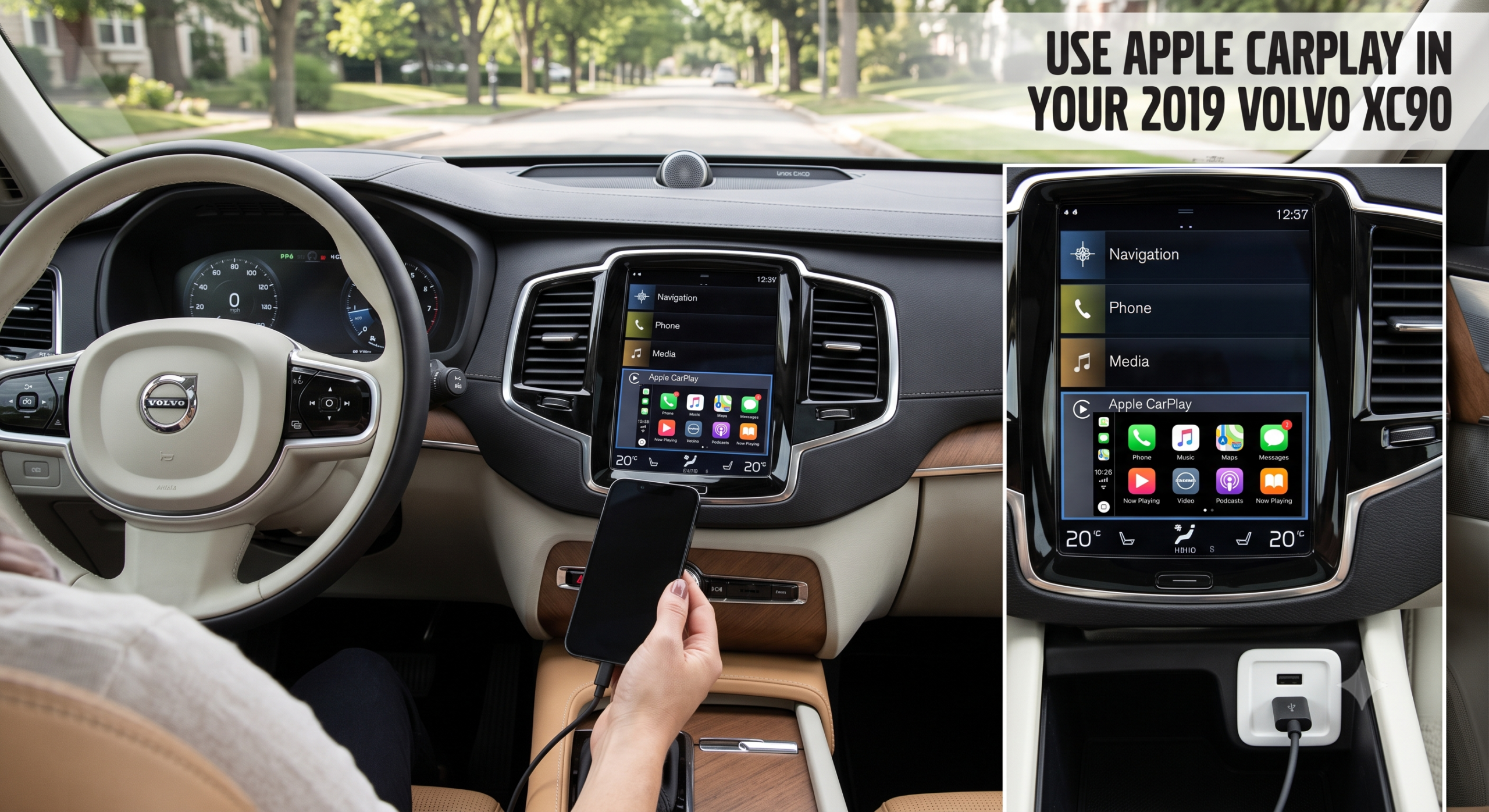
- CarPlay appears in a window on the lower portion of the screen, not full-screen, since Sensus Connect keeps native Volvo controls visible up top.
How to Set Up Apple CarPlay in a 2019 XC90
Getting CarPlay running the first time takes about a minute, and after that it should connect automatically every time you plug in.
Step 1: Prep Your iPhone
Before you even get in the car, check two settings on your iPhone. <cite index=”45-1″>Go to Settings, then General, then CarPlay, and confirm it’s turned on, then check that Siri is activated under Settings, then Siri & Search</cite>. Both need to be on, since CarPlay relies on Siri for voice commands.
Step 2: Connect the Cable
<cite index=”39-1″>Connect your iPhone to the Volvo’s USB port using an Apple-approved Lightning-to-USB cable</cite>, which in the XC90 is <cite index=”39-1″>usually located in the center console</cite>. If your 2019 XC90 has two USB ports, <cite index=”47-1″>use the one with the white frame around it</cite> — that’s the port wired for CarPlay.
Step 3: Accept the Prompt
<cite index=”47-1″>Read the terms and conditions on the Sensus Connect screen and tap Accept to connect</cite>. <cite index=”39-1″>When prompted on the Sensus Connect screen, press OK to continue setup</cite>, and your iPhone and XC90 are now linked over CarPlay.
Step 4: Launch CarPlay
<cite index=”47-1″>The tile with CarPlay opens automatically if the home view is showing when you connect your iPhone; if it doesn’t open on its own, tap the device name to open the CarPlay subview</cite>. From there, <cite index=”39-1″>you can select the Apple CarPlay icon from the Sensus display any time you want to switch back into it</cite>.
Quick Tip: Your iPhone needs to be unlocked the first time you connect for CarPlay to fully activate. If nothing happens after plugging in, tap your phone screen to wake it and let Face ID or Touch ID confirm it’s you.
What CarPlay Looks Like on the 2019 XC90’s Screen
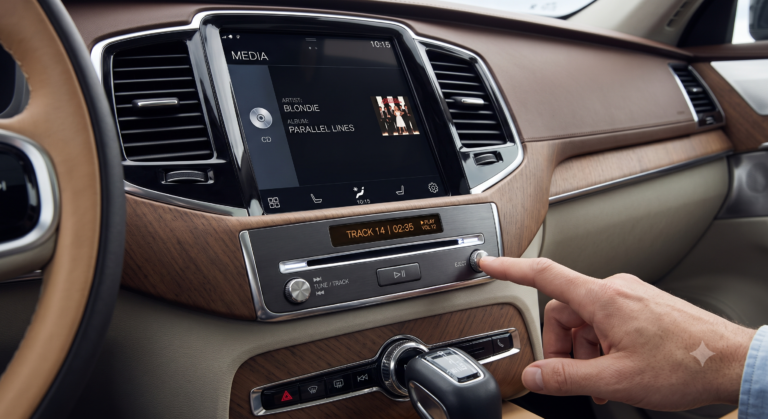
Don’t expect a full-screen takeover — the 2019 XC90 predates that style of integration. <cite index=”43-1″>On 2016–2021 XC90 models with Sensus Connect, CarPlay displays in a window on the lower part of the 9-inch touchscreen, while the top of the screen continues showing Volvo’s native interface</cite>. Some owners find this handy for quick access to climate and vehicle settings; others wish it filled the whole display.
That full-screen experience did eventually arrive at Volvo, just not for this generation. <cite index=”43-1″>Starting with 2023-model-year XC90s running Google Built-In, CarPlay expanded to fill the entire 11.2-inch center display</cite> — a meaningfully bigger jump for maps and playlists. If you’re finding the smaller CarPlay window limiting on your 2019 model, that’s a known limitation of Sensus Connect, not something you’re missing in the settings.
Comparison: 2019 XC90 CarPlay vs. Newer Volvo Models
| Feature | 2019 XC90 (Sensus Connect) | 2023+ XC90 (Google Built-In) |
|---|---|---|
| Connection type | Wired (USB) only | Wired; select models offer wireless |
| Display | CarPlay in lower window; native UI stays visible above | CarPlay fills full 11.2″ display |
| Driver display integration | Not supported | Turn-by-turn shown on driver display |
| Screen size | 9-inch touchscreen | 11.2-inch touchscreen |
Troubleshooting: Common CarPlay Connection Problems
Symptom: CarPlay doesn’t appear when I plug in my iPhone Fix: Confirm CarPlay and Siri are both enabled in your iPhone’s settings, unlock the phone, and make sure you’re using the white-framed USB port if your XC90 has two. Try a different Apple-certified Lightning cable — third-party cables are a common culprit.
Symptom: My Bluetooth-connected phone stops working when I plug in for CarPlay Fix: This is expected behavior, not a malfunction. <cite index=”45-1″>Volvo’s system doesn’t allow Bluetooth and CarPlay to run at the same time because they conflict at the system level, so you need to disable Bluetooth for other devices while CarPlay is active</cite>.
Symptom: CarPlay connects but Siri won’t respond Fix: Double-check Siri is enabled on your iPhone specifically — it’s a separate toggle from the CarPlay setting itself, and it’s easy to miss on first setup.
Symptom: My XC90 was delivered before I could get CarPlay to activate at all Fix: <cite index=”45-1″>Some early Volvo CarPlay-equipped vehicles delivered before November 2015 required a paid software update to activate the feature</cite> — a 2019 model shouldn’t need this, but if CarPlay genuinely isn’t available anywhere in your menus, a dealer software check is worth ruling out.
Expert Insight: If your iPhone connects fine via Bluetooth for calls but never shows the CarPlay prompt, the cable is almost always the issue — not the car or the phone. Swap to a genuine Apple cable before assuming anything else is wrong.
Alternatives If You Want More From CarPlay on This Model
Choose an aftermarket wireless adapter if: you’re tired of plugging in every time you get in the car. <cite index=”43-1″>Aftermarket wireless CarPlay adapters plug into your USB port and create a wireless connection to your iPhone via Wi-Fi and Bluetooth, typically costing between $200 and $400</cite>, and setup is plug-and-play after the first pairing.
Choose a full aftermarket CarPlay module if: you want the bigger, full-screen CarPlay experience your 2019 XC90’s factory system can’t offer. These modules replace or augment the factory head unit logic to project CarPlay across more of the screen, though they involve more installation work and aren’t Volvo-supported.
Frequently Asked Questions
Does the 2019 Volvo XC90 have wireless Apple CarPlay? No. The 2019 XC90 requires a wired USB connection for CarPlay — wireless CarPlay didn’t arrive on Volvo models until several years later, and even then only on select newer vehicles.
Which USB port do I use for CarPlay in a 2019 XC90? If your center console has two USB ports, use the one with a white frame around it. That port is specifically wired to support CarPlay.
Can I use CarPlay and Bluetooth calling at the same time? No — Volvo’s system requires you to disable Bluetooth for other devices while CarPlay is active, since the two can’t run simultaneously.
Why is CarPlay only showing in part of my screen? That’s expected for the 2019 model. Sensus Connect displays CarPlay in a lower window while keeping Volvo’s native controls visible above it — full-screen CarPlay didn’t come to the XC90 until the 2023 redesign.
What iPhone models work with CarPlay in a 2019 XC90? Apple CarPlay on Volvo’s Sensus Connect system supports iPhone 5 and newer running iOS 8 or later, though a more recent iOS version will give you smoother performance and access to newer CarPlay features.
Key Takeaways
- Setup takes under a minute: enable CarPlay and Siri on your iPhone, plug into the white-framed USB port, and accept the prompt on-screen.
- CarPlay displays in a window, not full-screen, on the 2019 XC90’s 9-inch Sensus Connect display.
- Bluetooth and CarPlay can’t run together — this is normal system behavior, not a bug.
- A bad cable is the most common connection issue — always use an Apple-certified Lightning cable.
- Aftermarket wireless adapters are available if you want to skip the cable entirely, typically $200–$400.
Next step: Grab an Apple-certified Lightning cable, check that CarPlay and Siri are both enabled in your iPhone settings, and plug into the white-framed USB port in your XC90’s center console.