How to Start a Volvo XC60 With a Dead Key Fob?

Your XC60 won’t recognize the fob, the dash flashes “car key not detected,” and you’re standing in a parking lot with somewhere to be. Take a breath. Your XC60 has a built-in workaround for exactly this, and it takes about 30 seconds once you know where to look.
TL;DR
- A dead key fob won’t stop your XC60 from starting, because the ignition has a hidden backup reader for this exact situation.
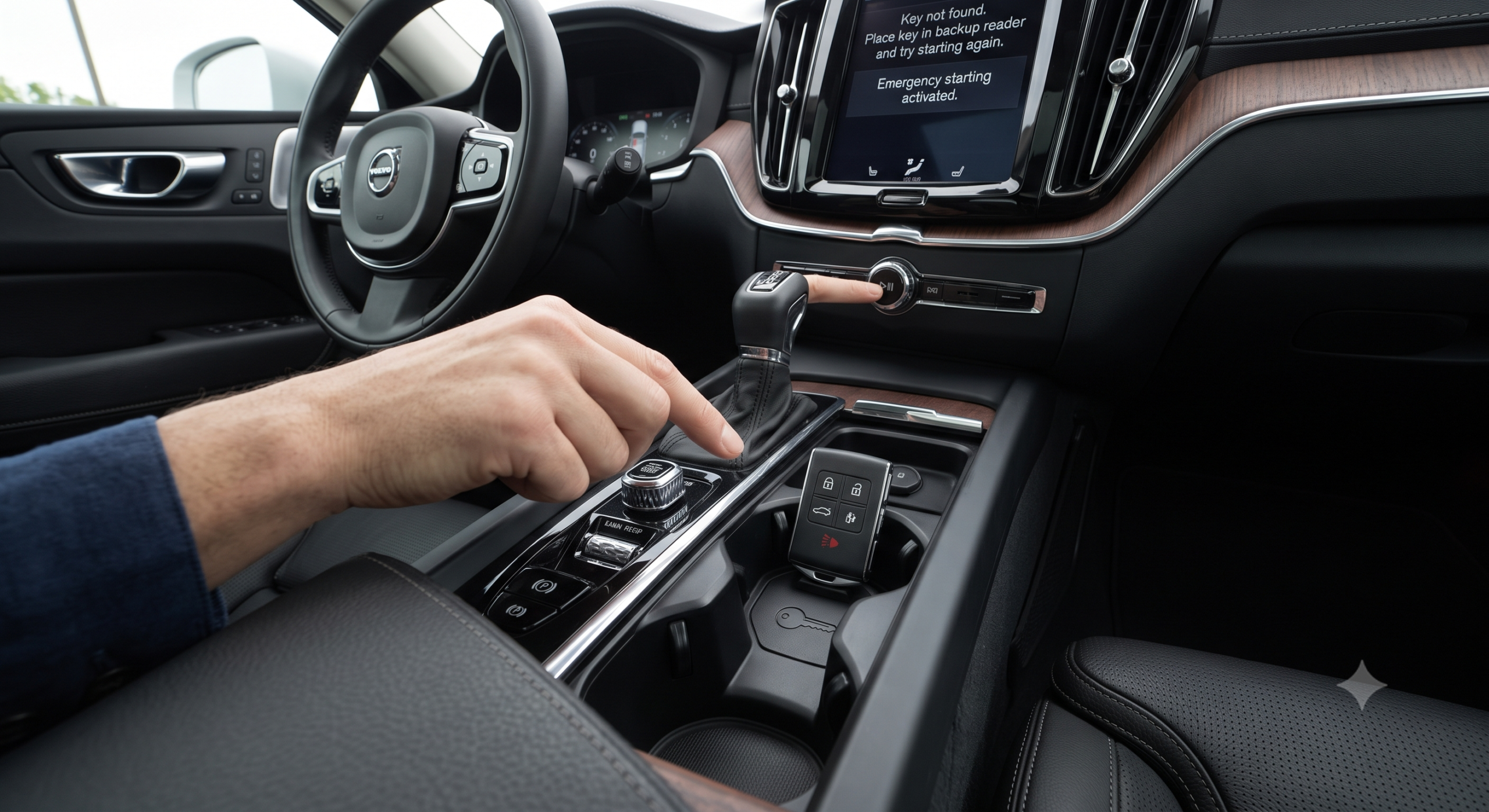
- The backup reader lives in the tunnel console, near the cupholders, under a small cover.
- Place the whole fob flat against that spot, then press the brake and push the start button as usual.
- If the doors won’t unlock either, pop out the mechanical key hidden inside the fob to open the driver’s door manually.
- A weak main 12V battery, not just the fob, causes this same symptom, so don’t rule it out if the backup reader doesn’t work.
Here’s the short version: pop the cover near your cupholders, hold the dead fob against the reader underneath, then start the car like normal. Keep reading for the exact steps, what to do if the doors are also locked, and how to stop this from happening again.
Why a Dead Key Fob Doesn’t Actually Strand You
Volvo builds a passive RFID backup into every XC60 key fob specifically for a dead coin-cell battery. The car’s owner support documentation explains that if the “Car key not detected” message appears, you should place the key by the back-up reader and then try to start the car again. That backup reader sits in the tunnel console and works through induction, meaning it can power the fob’s chip just enough to confirm your identity to the car, even with zero battery left inside.
Quick Tip: This backup system reads a passive chip, not the fob’s electronics, so it works even if the fob has been dead for months. You don’t need any charge left in it at all.
This isn’t a workaround Volvo engineers hid as an afterthought. It’s the same basic RFID technology used in building access badges and transit cards, adapted for cars specifically so a dead coin-cell battery never leaves you locked out of your own driveway.
Step-by-Step: Starting Your XC60 With a Dead Fob
1. Get inside the car first. If your doors already unlocked normally, or you’re already inside, skip to step 2. If the doors are locked and unresponsive, see the manual unlock section below.
2. Find the backup reader. Look in the tunnel console between the front seats, near the cupholders. It’s marked with a small key-shaped icon, and it’s easy to miss if you’re not looking for it.
3. Place the entire fob flat against that spot. Not just the metal key, the whole fob. The RFID chip inside needs direct contact with the reader coil to transmit its signal.
4. Press the brake pedal. This is a standard step for push-button start XC60s and won’t work if you skip it.
5. Push the Start/Stop button. With the fob positioned correctly and the brake held down, the car should start exactly as if the fob had a full charge.
6. Leave the fob in place until the engine catches. If you move it too soon, the car may lose the signal mid-start and you’ll need to try again.
Real-world scenario: A parent doing school pickup finds their fob dead after months of infrequent use. Instead of calling for a jump or a locksmith, they pop the cupholder cover, set the fob down, brake, push start, and they’re rolling in under a minute, no tools, no tow truck.
If the Doors Won’t Unlock Either
A dead fob sometimes means the doors won’t unlock remotely, not just that the ignition won’t recognize it. Every Volvo key fob hides a mechanical backup key that solves this.
How to access the hidden key:
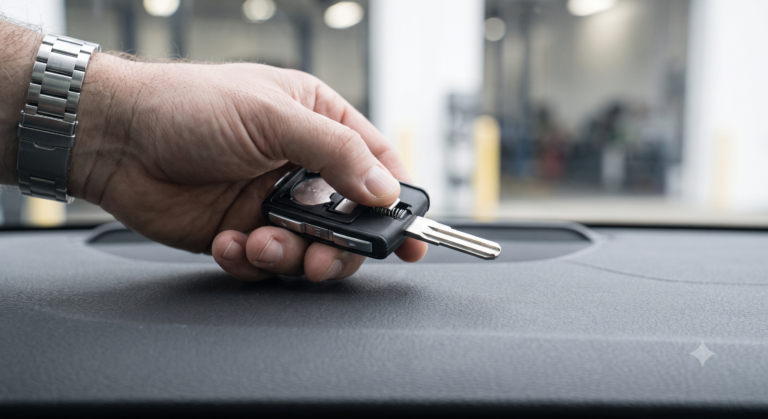
- Look for a small release button or switch on the back or side of the fob
- Press it to pop out the metal blade key
- Use that blade in the hidden keyhole, usually under a small cover on the driver’s door handle
- Turn to unlock manually, then head straight to the backup reader inside to start the engine
Expert Insight: The mechanical key only unlocks the door. It can’t turn the ignition on its own, so don’t waste time trying to jam it into a slot near the steering column expecting the engine to start. It’s strictly a door-entry tool.
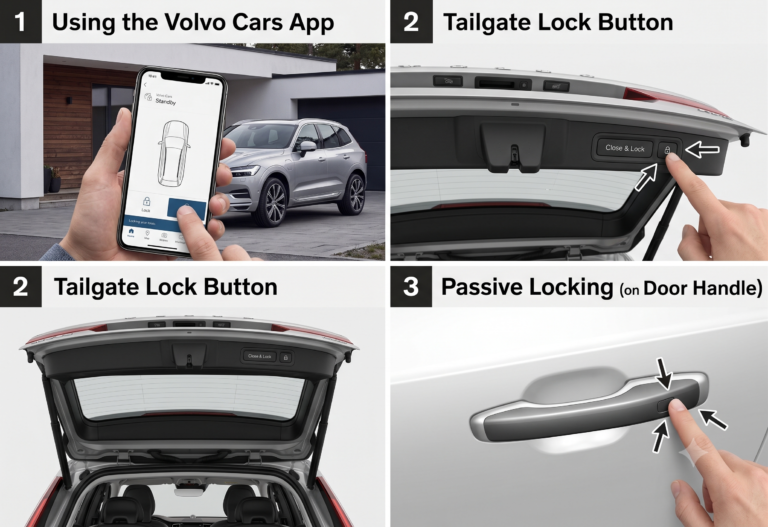
If you’re away from your XC60 and remembered your phone, the Volvo Cars app can also unlock the doors remotely over a cellular connection, no fob contact needed at all.
When It’s Not the Fob: Checking the Main Battery
A tricky wrinkle: a weak 12V starter battery can produce the exact same “key not detected” symptom as a dead fob. A 2025 automotive electronics report found that voltage drops below roughly 11.8 volts frequently interfere with keyless entry systems’ ability to read RFID signals, even when the fob itself is fully charged.
| Symptom | Likely Cause | Fix |
|---|---|---|
| No response from remote, but dash lights work | Dead fob coin-cell battery | Use backup reader to start |
| No dash lights, no chimes, nothing | Weak or dead 12V starter battery | Jump-start, then diagnose battery |
| Doors won’t unlock remotely | Dead fob or low car battery | Use mechanical key, then backup reader |
| Backup reader doesn’t respond | Possible fob or antenna damage | Try a spare fob, then see a technician |
Choose a jump-start first if: your dash is completely dark and no interior lights turn on, since that points to the car’s battery, not the fob.
Choose the backup reader first if: your dash lights and chimes work normally but the car simply won’t recognize the key, since that’s a fob-specific symptom.
Pros and Cons by Situation
The daily commuter (needs the car running now):
- Pros: The backup reader trick takes under a minute and needs no tools.
- Cons: It’s easy to forget the reader’s exact location under pressure, so it helps to check it once when things are calm.
The road-trip driver (fob dies far from home):
- Pros: The mechanical key and backup reader work identically no matter where you are, no dealership visit required.
- Cons: If it’s actually a weak 12V battery rather than the fob, you’ll still need jumper cables or roadside assistance.
The multi-key household (spare fob available):
- Pros: Swapping to a spare fob rules out fob failure instantly and gets you moving faster than troubleshooting.
- Cons: Spare fobs need periodic use too, or they can end up dead at the exact moment you need them.
FAQ
Where exactly is the backup key reader in a Volvo XC60? It’s in the tunnel console between the front seats, close to the cupholders, marked with a small key icon under a removable cover.
Can I start my XC60 with a completely dead fob, zero battery at all? Yes. The backup reader uses passive RFID technology that draws power from the car itself through induction, so the fob doesn’t need any charge to work at the backup reader.
Why won’t my XC60 start even after using the backup reader? If the backup reader doesn’t work, the issue may be a weak 12V starter battery, a damaged fob antenna, or interference from other electronics nearby, like phones or other key fobs, sitting near the reader.
How do I replace the battery in my Volvo XC60 key fob? Pop out the hidden mechanical key to access the battery compartment, then swap in a fresh CR2032-style coin-cell battery, matching the type already inside.
Does the XC60’s Plug-In Hybrid version work the same way with a dead fob? Yes. The backup reader and mechanical key procedures are identical across XC60 powertrains, since they’re part of the keyless entry hardware, not the engine.
Key Takeaways
- Your XC60 has a hidden backup reader in the tunnel console specifically for dead key fobs.
- Place the whole fob against it, hold the brake, and press start like normal.
- A mechanical key hides inside the fob for manual door entry if the doors won’t unlock either.
- Rule out a weak 12V battery if the backup reader doesn’t solve the problem.
- Replace the fob’s coin-cell battery as soon as you’re able to prevent a repeat.
What’s Next
Check your XC60’s fob battery type in the owner’s manual and pick up a spare coin-cell battery today, so a dead fob never catches you off guard again.